Fleet Preventive Maintenance, simplified.

Keep every truck on the road, without the spreadsheet.

Drivers log fuel, services and problems from their phones in three taps. You see what's due, what it costs, and which vehicle needs attention, all in one place. No training needed.

14 days free. No card needed. Plans from $9.99 a month.

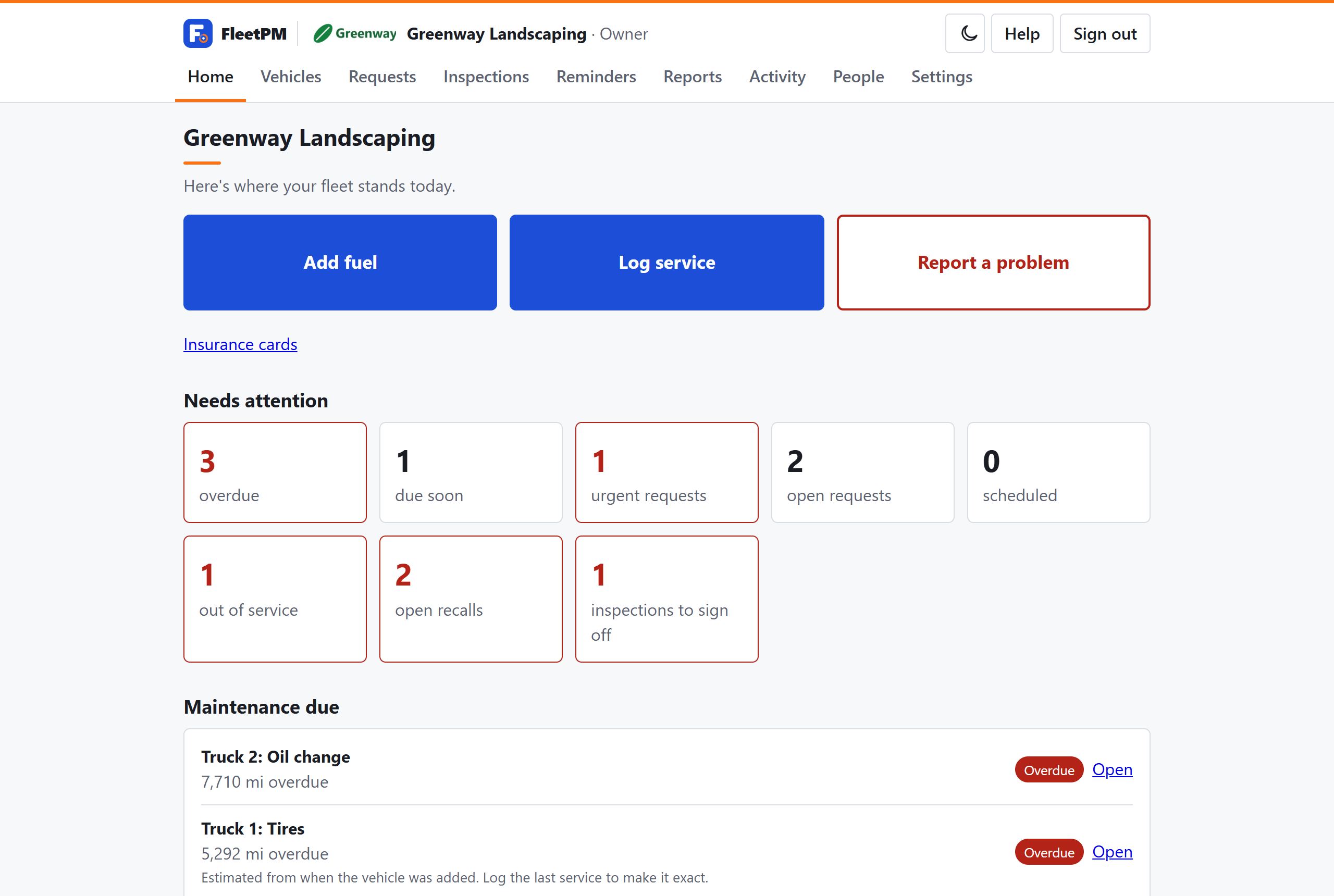
The FleetPM dashboard for Greenway Landscaping: quick log buttons, counts of overdue maintenance, urgent requests, vehicles out of service and open recalls, and a list of what's due.
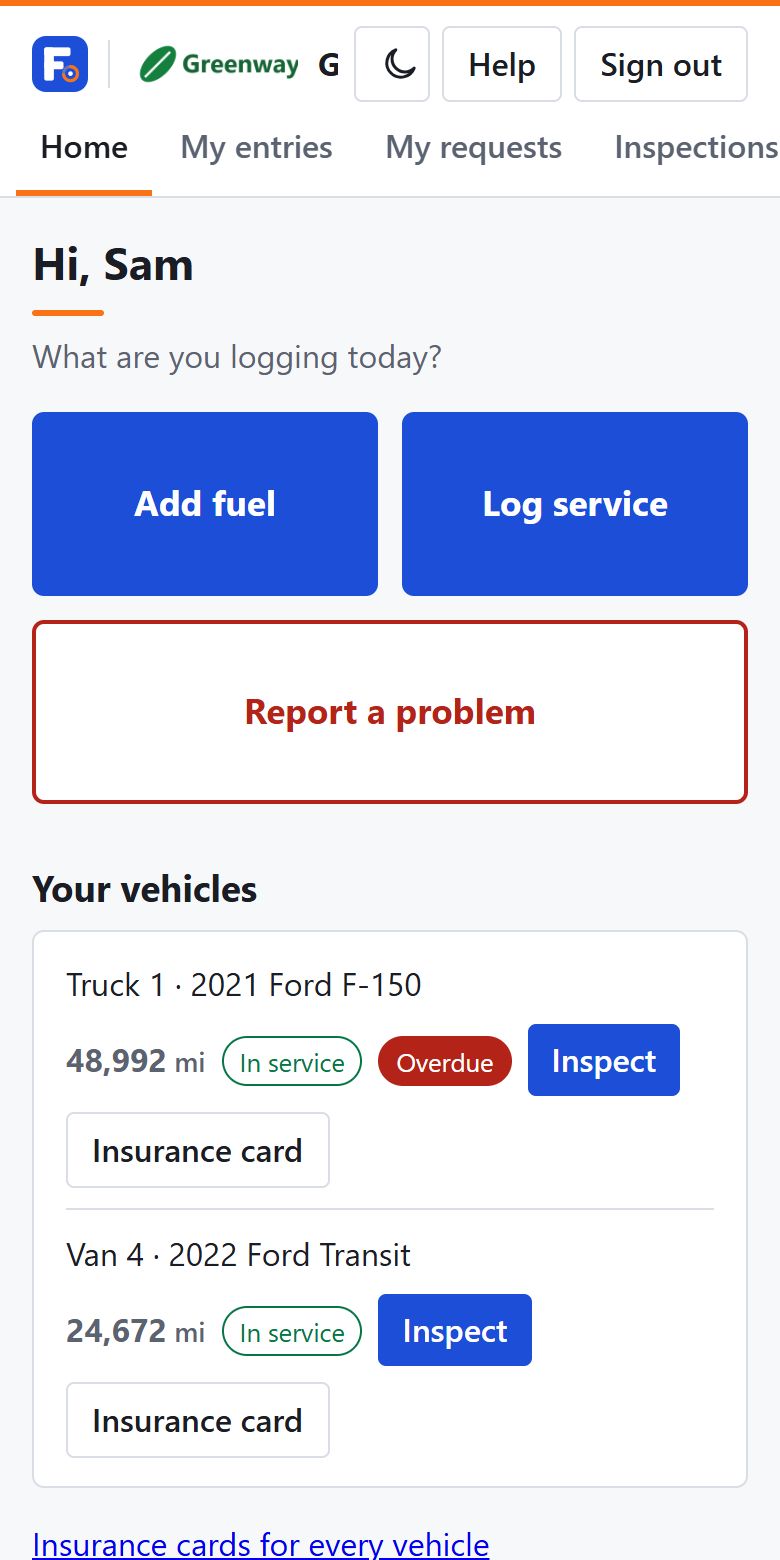
A driver's phone: three big buttons to add fuel, log service or report a problem, and the driver's assigned trucks with their status.

Why Preventive Maintenance?

Preventive Maintenance means servicing vehicles on a schedule, before something breaks, instead of fixing them after. It's the PM in FleetPM, and it's the cheapest way to keep a fleet running.

  • Cheaper than repairsOil, filters and fluids changed on time cost far less than the engine or transmission they protect.
  • Fewer trucks off the roadA breakdown costs the repair and a lost day of work. Planned service happens when it suits you.
  • Nothing slips throughRegistration, insurance and DOT inspections come up with enough notice to plan for them.
  • A record that pays offA complete service history helps at resale, with your insurer and at inspection time.

Built for businesses with a handful of work vehicles

If your maintenance records live in a spreadsheet, on a whiteboard or in the glovebox, FleetPM was made for you. It's designed for fleets of roughly 3 to 15 vehicles, and it grows with you as you add more.

  • Landscaping and lawn careTrucks and trailers on the road all season, serviced between jobs.
  • Plumbing, HVAC and electricalService vans that have to be ready for the next call.
  • Small delivery companiesHigh-mileage vans where a missed oil change gets expensive.
  • Churches, schools and nonprofitsVans shared by volunteers, with someone who has to keep track.

Everything a small fleet needs. Nothing it doesn't.

Usable in 30 seconds. Your drivers won't need a manual, and neither will you.

Drivers log it in three taps

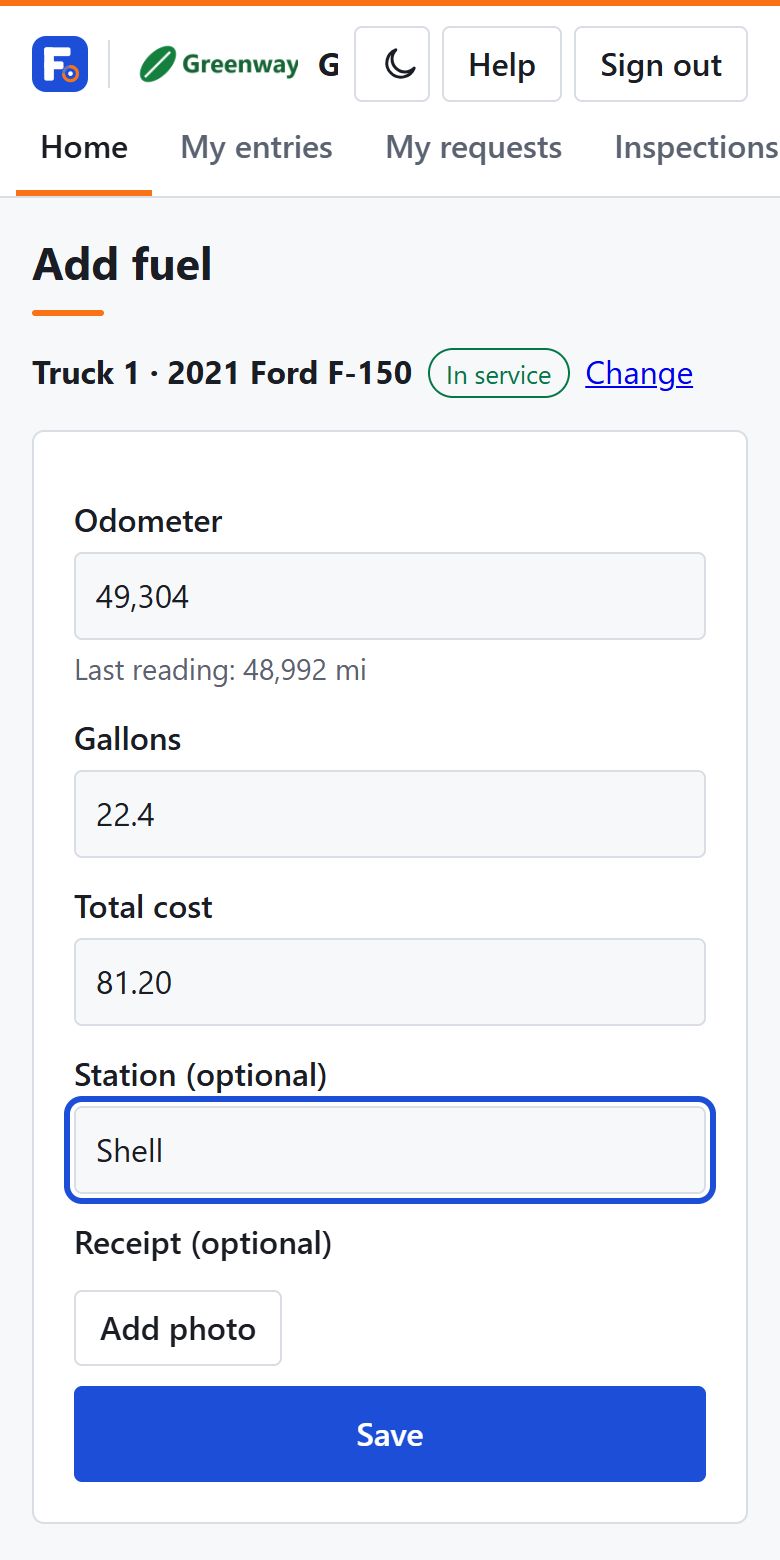
Tap Add fuel, pick the truck (theirs is listed first), type the numbers, done. Fuel, services and problem reports all work the same way on any phone, and each one records the odometer reading.

  • No passwords: drivers sign in with an email link or their Google or Microsoft account
  • Snap a receipt or dashboard photo, shrunk on the phone so it uploads fast
  • Odd odometer readings get a "Is this right?" check before they're saved
  • Drivers can fix their own entries for 24 hours; after that only managers can
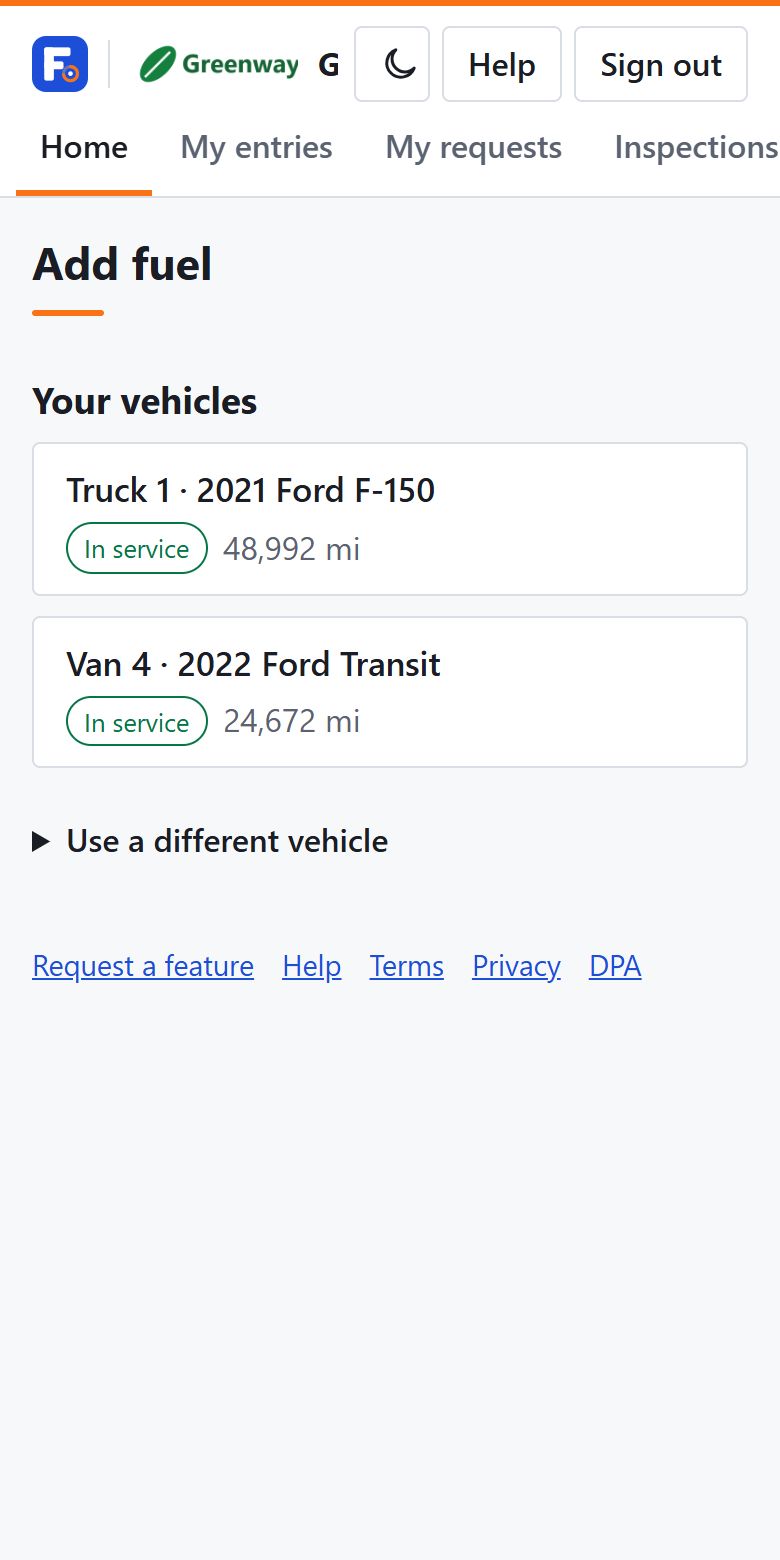
Choosing a vehicle on a phone: the driver's assigned vehicles first, with status and odometer.
The Add fuel form on a phone: odometer, gallons, total cost, station and an Add photo button for the receipt.

Know what's due before it breaks

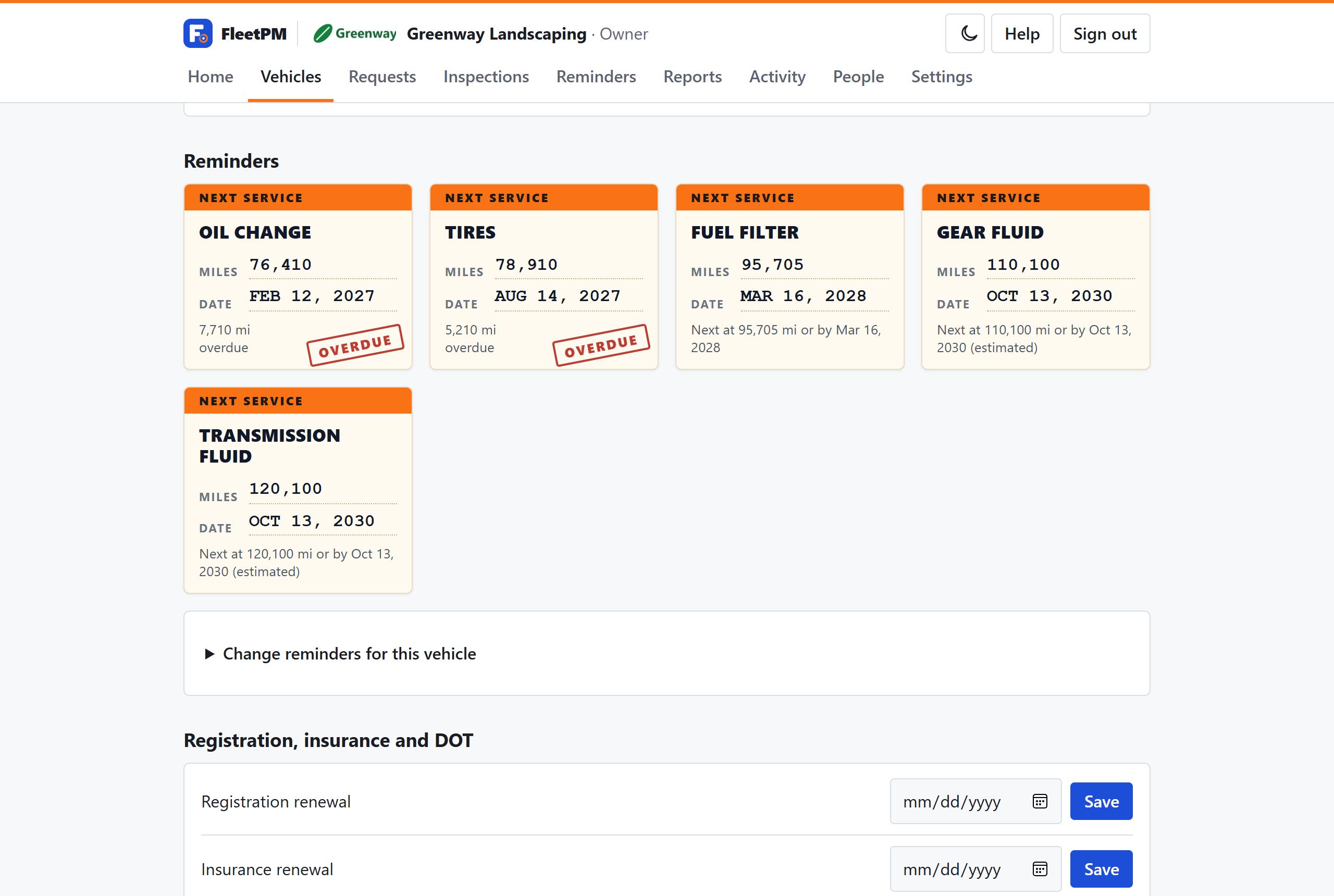
Build a Preventive Maintenance schedule: oil changes, tires, fuel filters, transmission fluid and gear fluid by miles, months or both. FleetPM works out what's due soon and what's overdue from the readings your drivers log.

  • Sensible defaults for every vehicle; change them per vehicle or for the whole company
  • Registration, insurance and DOT inspection dates in the same list
  • Open safety recalls from NHTSA, checked automatically every week
  • One short email when something changes, not a daily flood
A vehicle page with its reminders shown as windshield-style service stickers: oil change and tires stamped overdue, then fuel filter, gear fluid and transmission fluid, each with the mileage and date it is due.

Problems reported, tracked and fixed

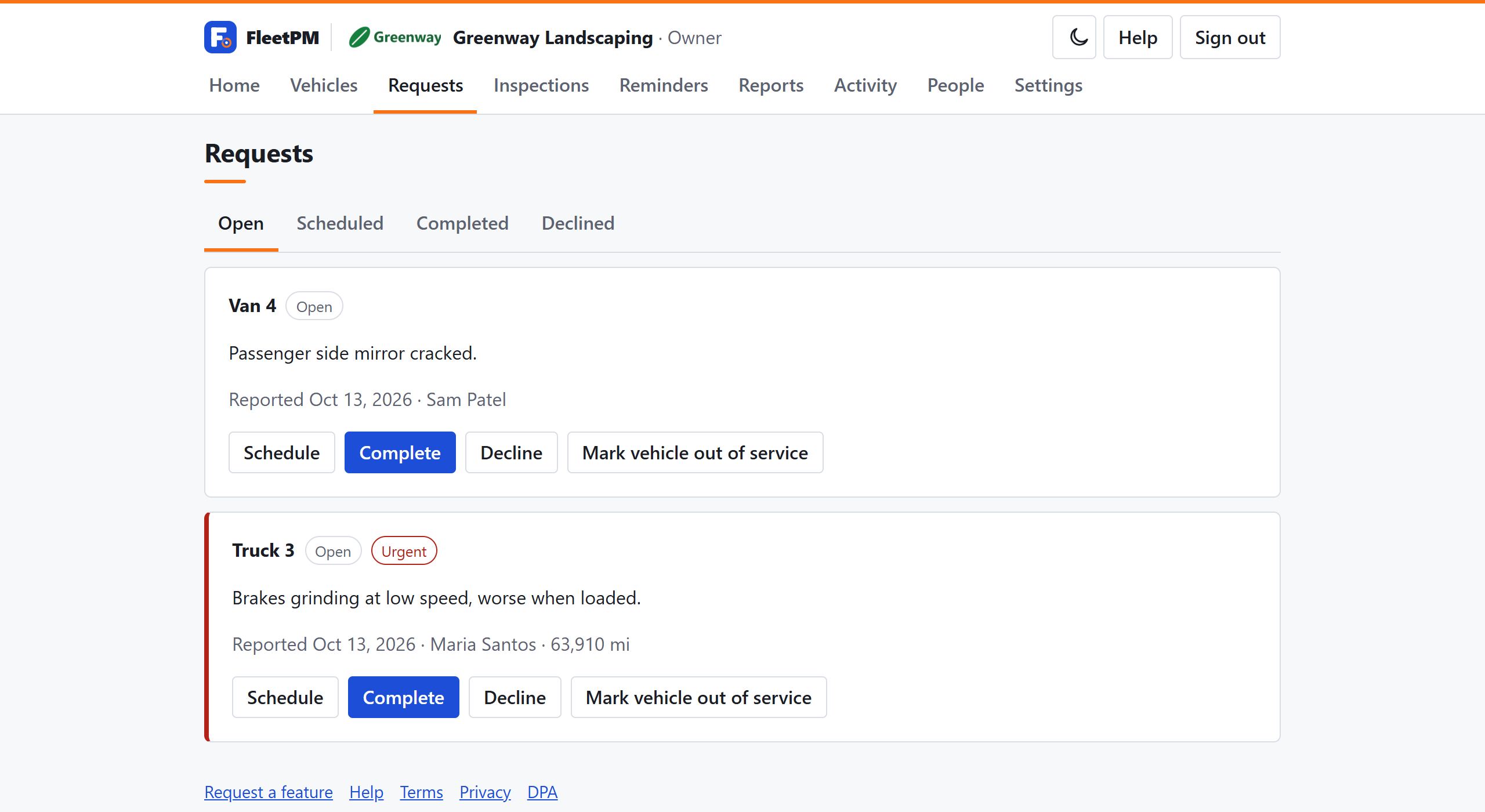
When a driver hears grinding brakes, they report it from their phone with photos. Urgent problems email you right away, and you can take the truck out of service with one tap.

  • Schedule the repair, decline duplicates, or mark it done
  • Completing a request creates the service record in the same step
  • Drivers see the status and your note, so they're never left wondering
The Requests screen: an urgent report of grinding brakes on Truck 3 and a cracked mirror on Van 4, each with Schedule, Complete, Decline and Mark out of service buttons.

Quick vehicle inspections

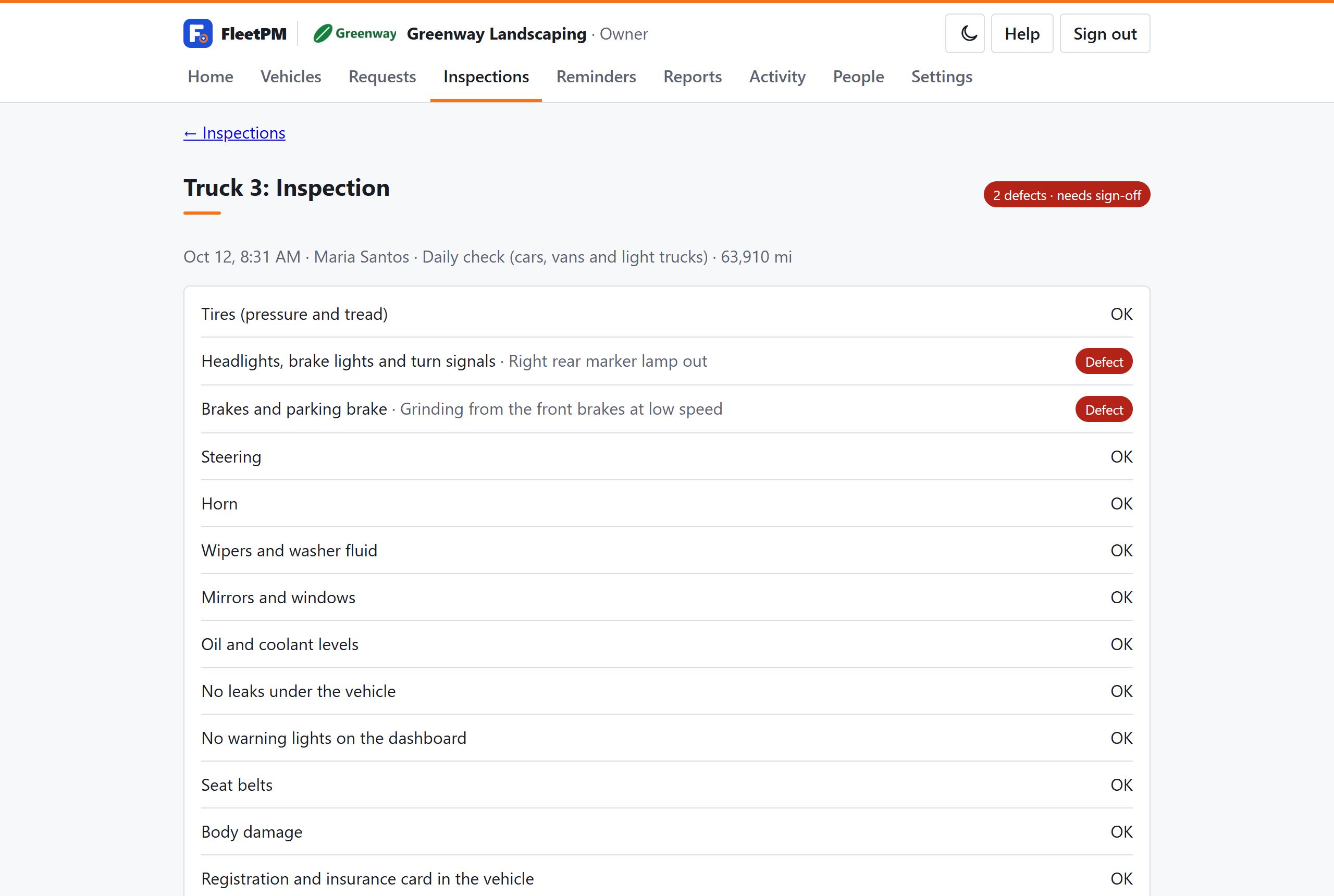
Pick an inspection checklist for each vehicle. Drivers get an Inspect button on their phone, tap OK or Defect for each item, and sign. Defects reach owners and managers right away, so small problems get fixed before they turn into big ones.

  • A quick daily walk-around and a thorough monthly checklist
  • Owners and managers sign off each defect as repaired, or as not needing repair
  • The next driver to inspect sees any defects that haven't been dealt with yet
  • Photos of defects, and a PDF of every report for the vehicle's file

FleetPM's checklists are general-purpose and aren't designed to meet any government inspection or record-keeping requirement.

An inspection report for Truck 3 by Maria Santos: brake and light problems marked as defects with her notes, every other item OK, and a badge saying it needs sign-off.
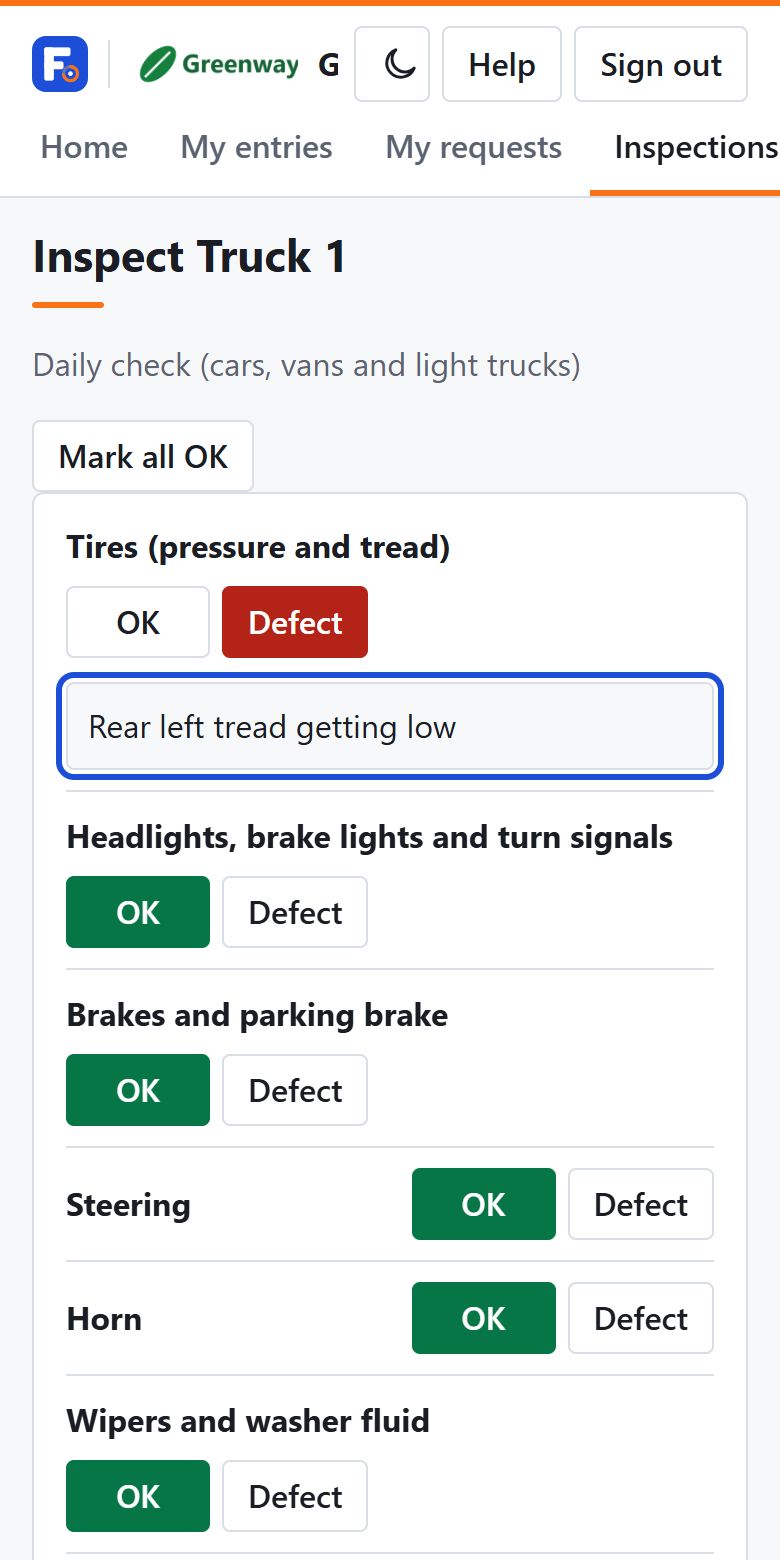
A driver's inspection on a phone: each item with OK and Defect buttons, and Tires marked as a defect with the note Rear left tread getting low.

Parts and fluids at your fingertips

Record what each vehicle takes once: oil type and capacity, filter part numbers, coolant, transmission fluid, tire size and more. Whoever does the service, or picks up the parts, has it on their phone.

  • Shown right on the form when a driver logs a service
  • Copy the sheet from an identical vehicle in one step
  • Add your own items, like DEF or hydraulic fluid
  • Fill it in for the whole fleet with Bulk Import from a spreadsheet
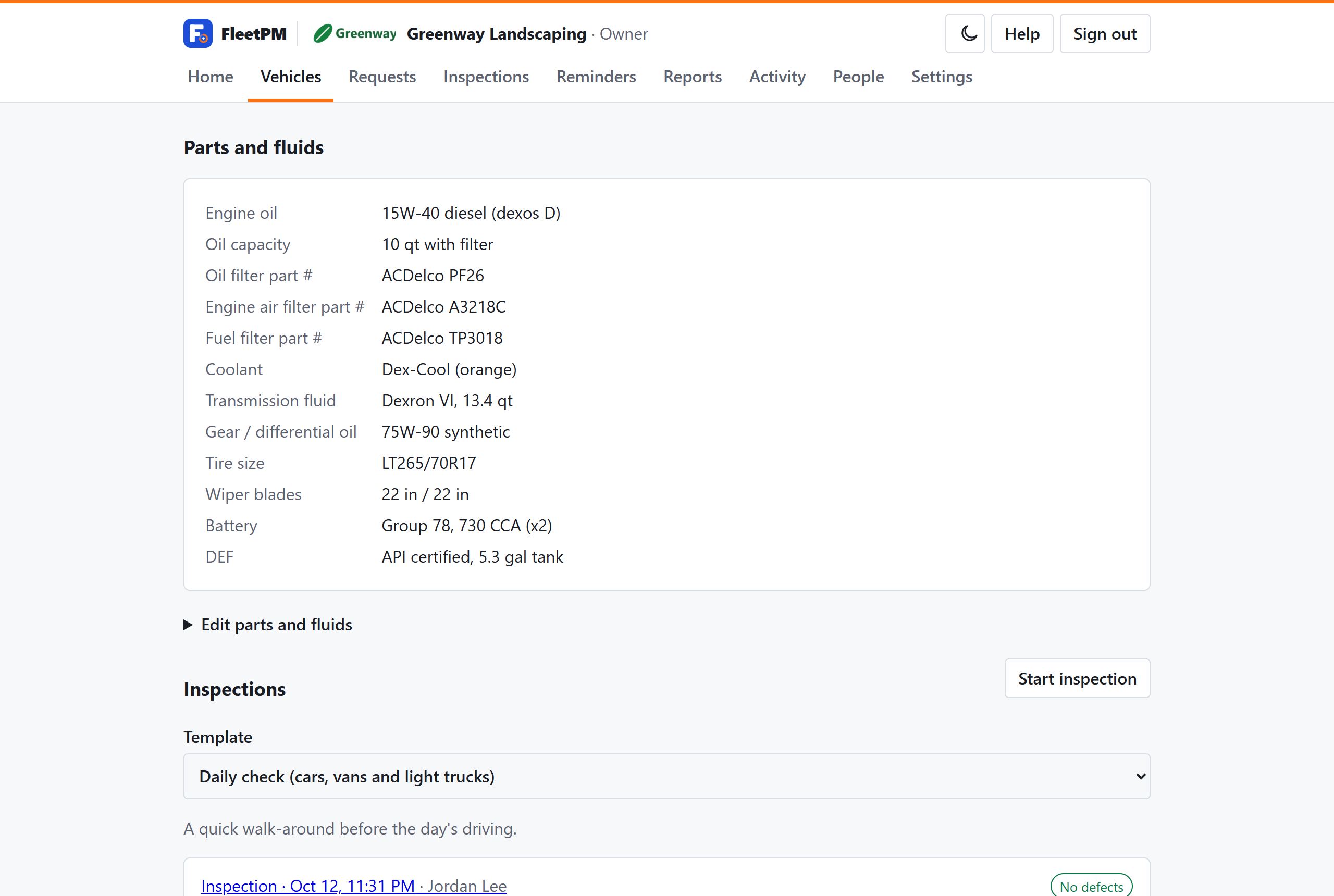
The parts and fluids sheet for Truck 2: engine oil, oil capacity, oil, air and fuel filter part numbers, coolant, transmission fluid, gear oil, tire size, wiper blades, battery and DEF.
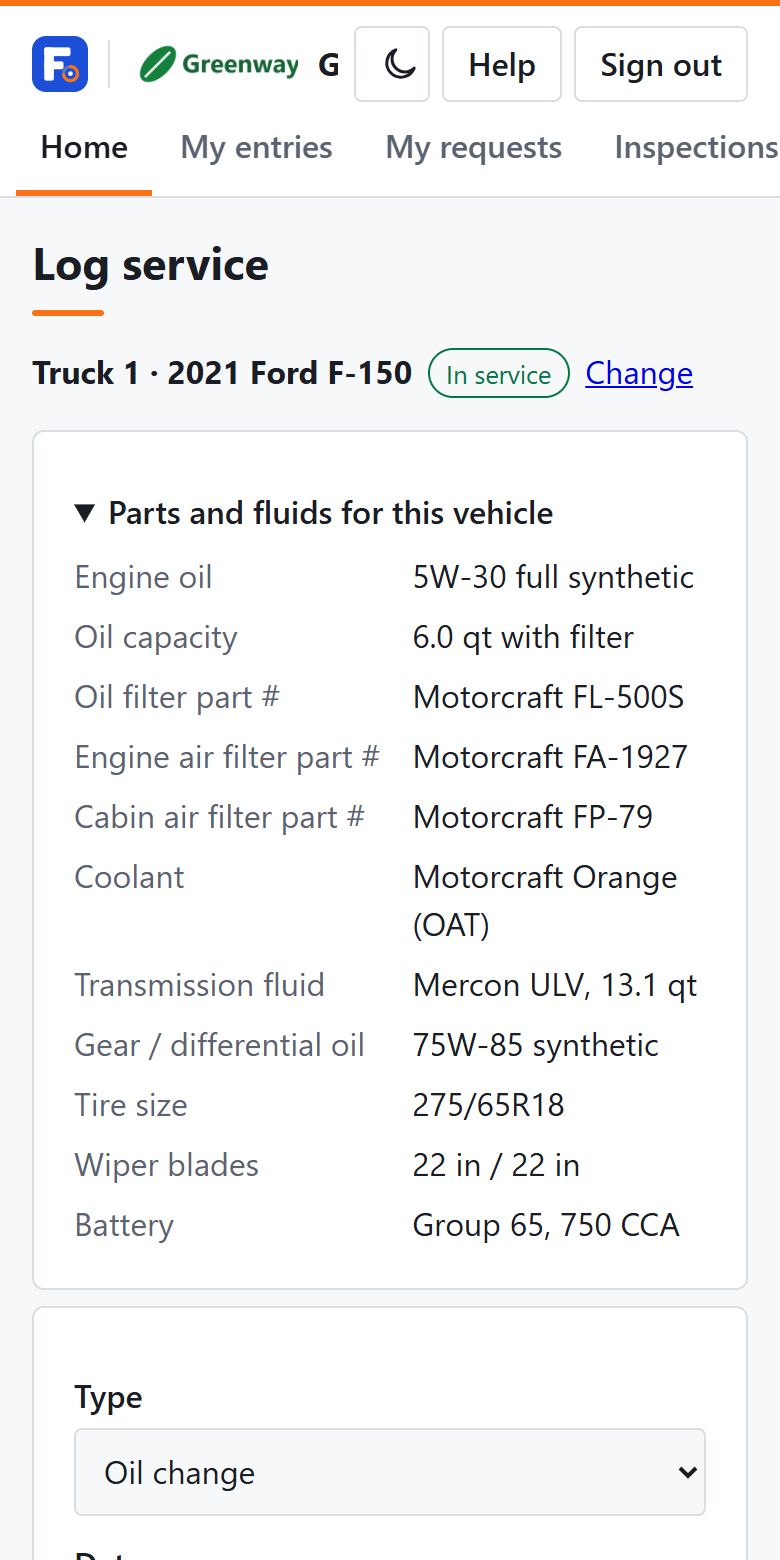
Logging a service on a phone for Truck 1, with the vehicle's parts and fluids shown above the form.

See what your fleet really costs

Every fuel fill-up and repair adds up. FleetPM shows the totals by vehicle and by month, so you know which truck is costing you and when it's time to replace it.

  • Cost per vehicle and cost per mile
  • Fuel economy from consecutive fill-ups
  • Spending by month, fuel and repairs side by side
  • CSV downloads and a service-history PDF for every vehicle, handy at resale
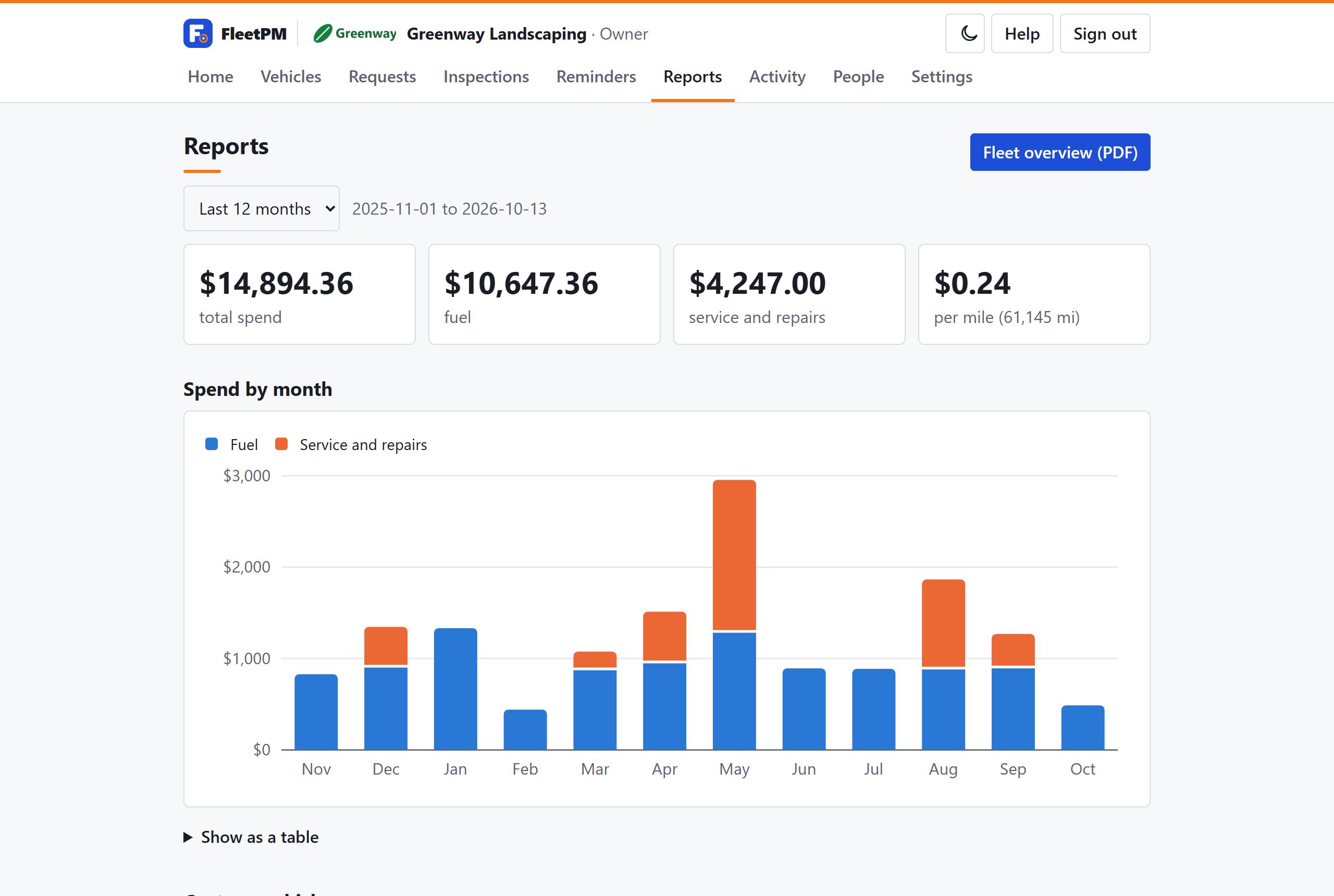
The Reports screen: total spend, fuel, service and cost per mile, and a stacked bar chart of fuel and service spending for each of the last 12 months.

The insurance card is always on hand

Add a photo of each vehicle's insurance card once. When a driver is asked for it at a traffic stop, an accident or the DMV, it's one tap away on their phone, even in a truck they don't usually drive.

  • No more digging through the glovebox or carrying paper copies
  • Front and back, shown full screen and easy to zoom
  • Replace it once at renewal and every driver has the new card
  • FleetPM reminds you before the policy renews

Most states accept proof of insurance shown on a phone, but rules vary, so check your state's rules and keep the paper card in the vehicle too.

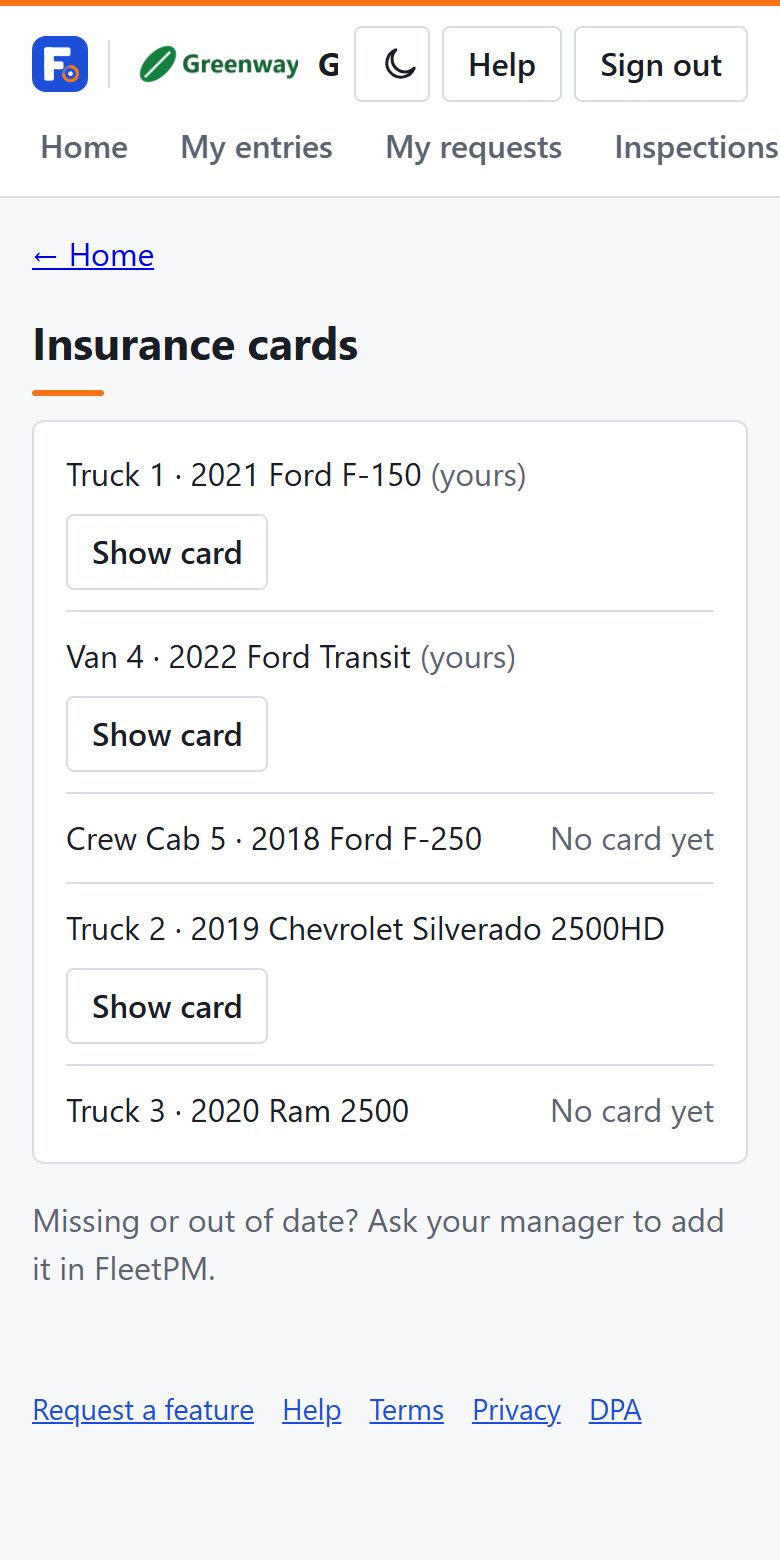
Insurance cards on a driver's phone: each company vehicle with a Show card button, the driver's own trucks first.
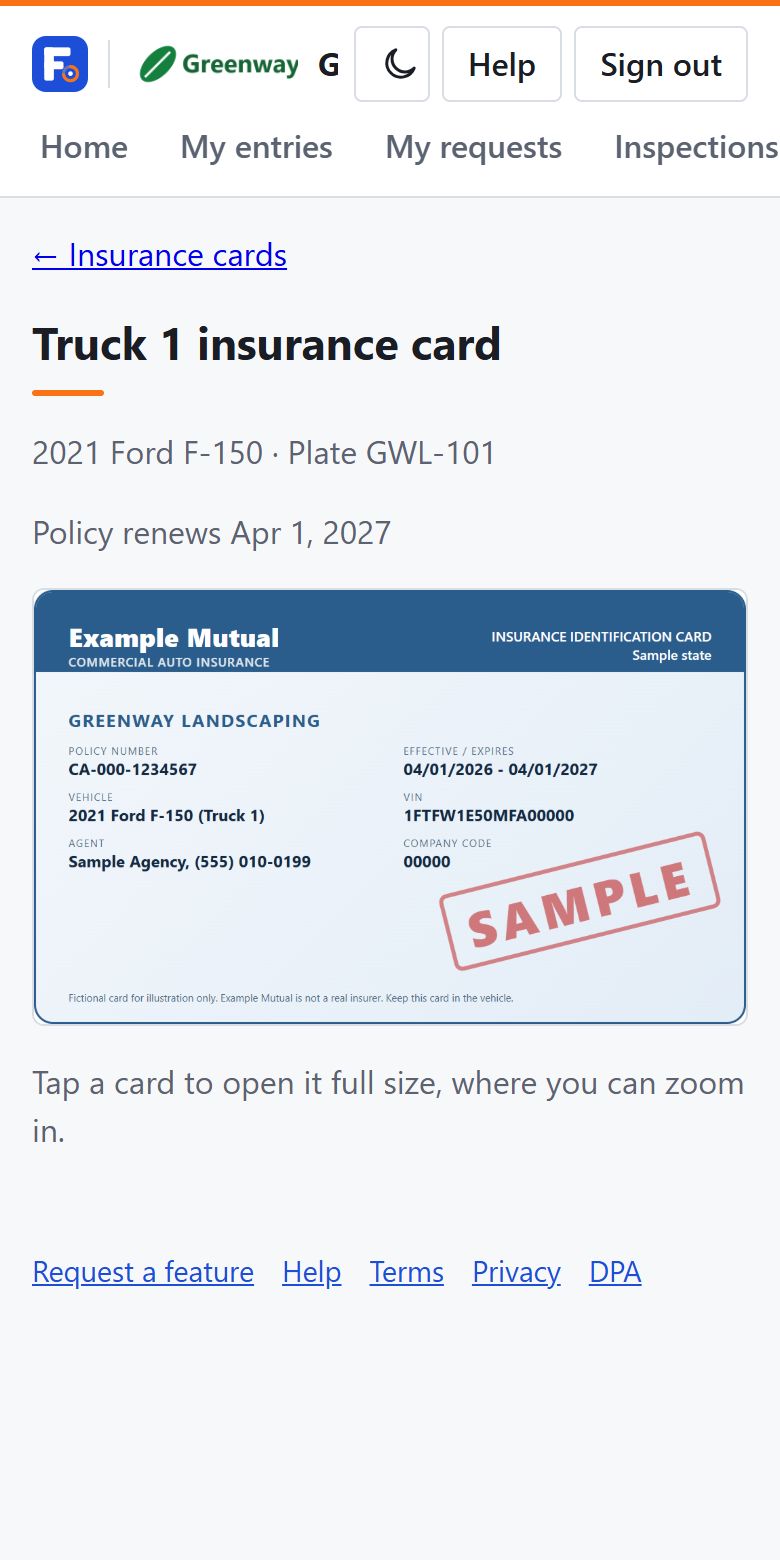
A sample insurance card for Truck 1 shown full width on a phone, with the policy renewal date above it.

Your company, your logo, your data

Add your logo so FleetPM looks like part of your business. Invite owners, managers and drivers, each seeing only what their role needs.

  • Drivers never see cost totals or reports
  • Export everything (spreadsheets and every photo) whenever you like
  • No GPS or location tracking, ever. Your drivers aren't being watched
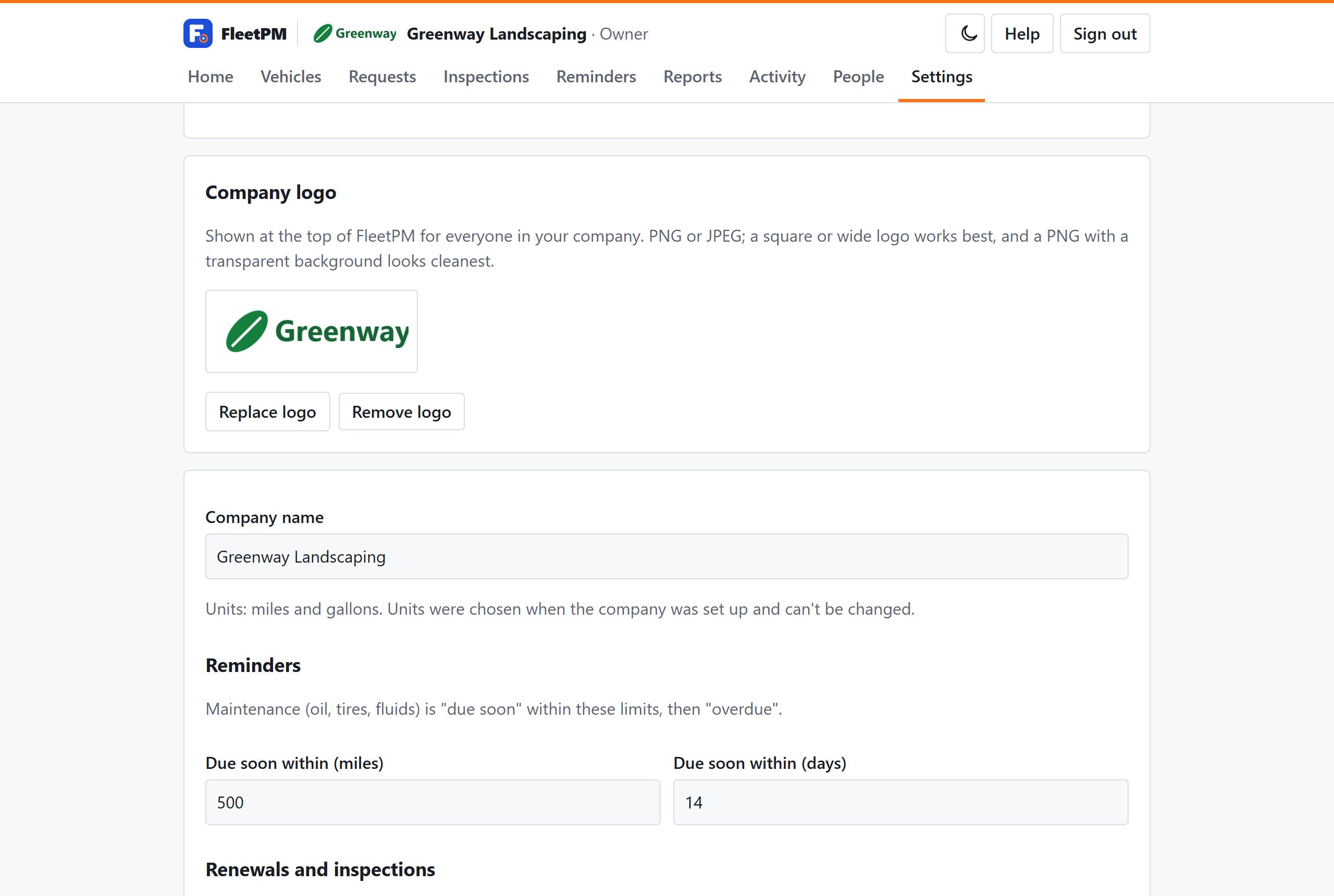
The Settings screen with the company's plan and billing and the Company logo section showing the Greenway logo.

Respectful of your people and your data

  • No location trackingFleetPM never collects GPS or location data. Even photo location tags are stripped.
  • No tracking cookiesOnly the cookie that keeps you signed in. No ads, no third-party trackers.
  • Your data stays yoursExport it any time. If you cancel, it's kept for 6 months in case you come back, then deleted.
  • Secure by defaultEach company's data is kept separate, every action is checked on the server, and card details go straight to Stripe.

Coming soon

  • In the works Factory maintenance schedules Enter a VIN and FleetPM will suggest the manufacturer's recommended service intervals for that exact vehicle, so your reminders match the owner's manual without looking anything up.
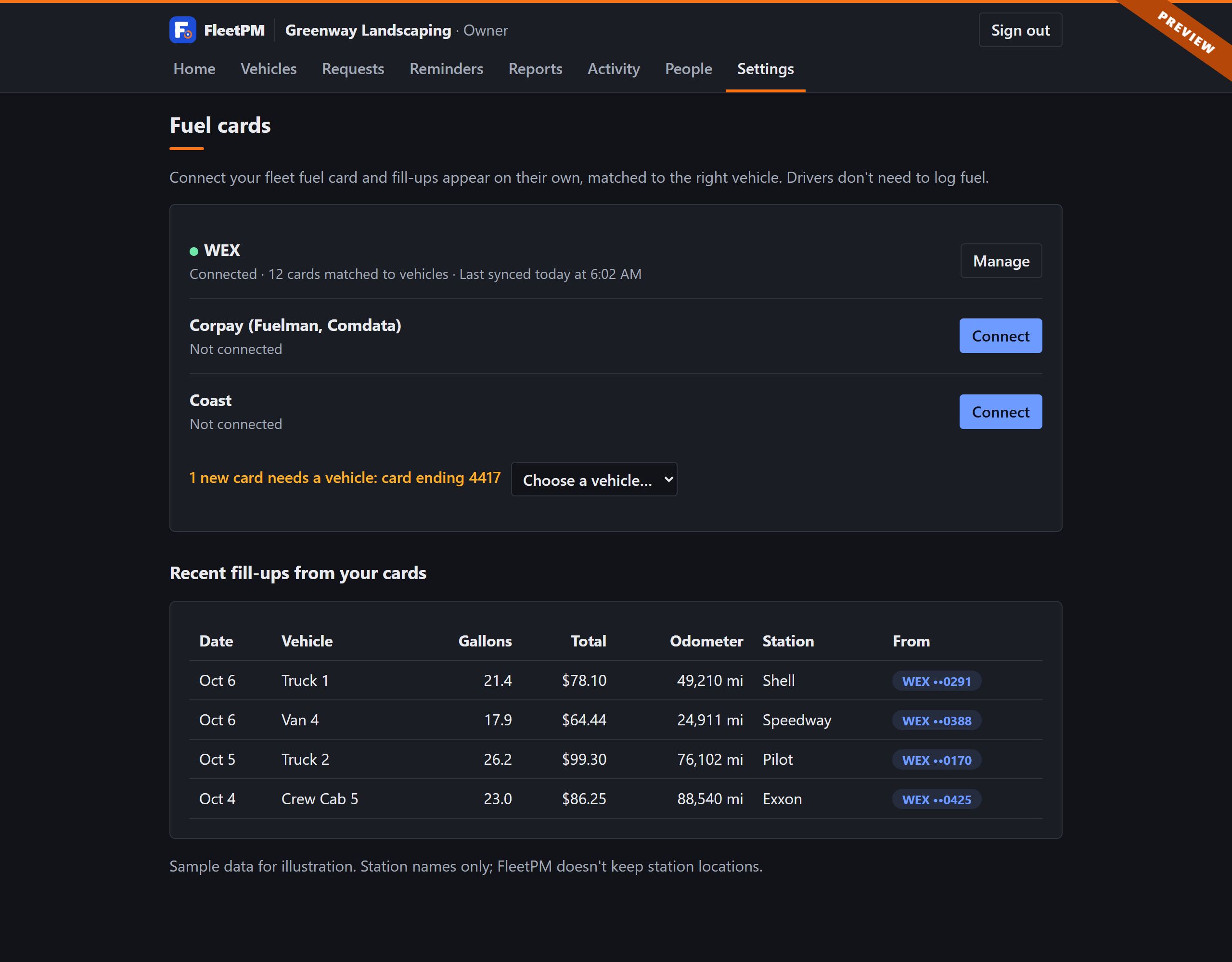
  • In the works Fuel card sync Connect your fleet fuel card and fill-ups appear on their own: gallons, cost and odometer, matched to the right vehicle. No receipts to type in, and drivers don't need to log fuel. Planned connections: WEX, Corpay (Fuelman, Comdata) and Coast.
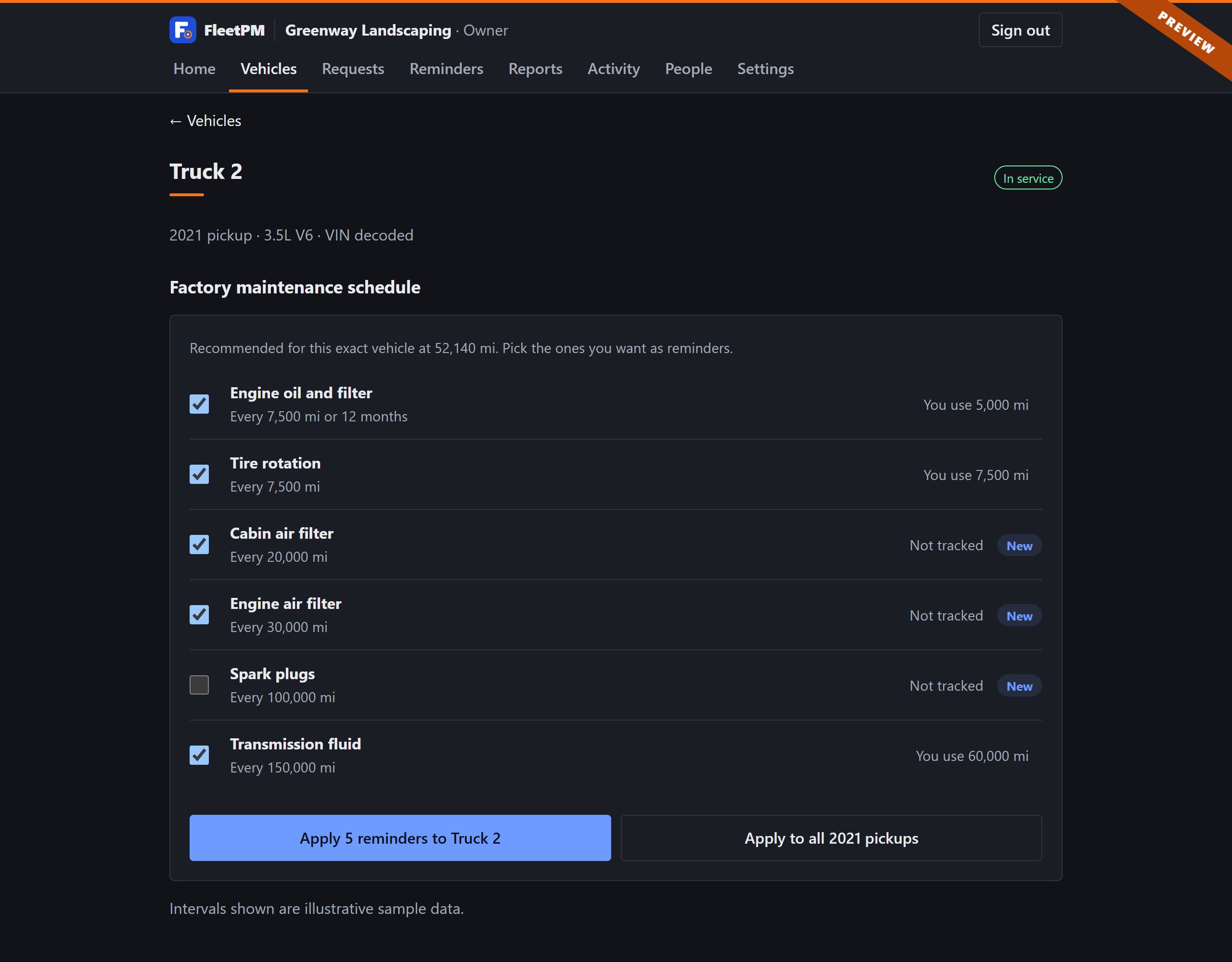
Preview of a vehicle page suggesting factory maintenance intervals for a 2021 pickup, with a checkbox beside each item and an Apply button.
Factory maintenance schedules
Preview of a Fuel cards settings page: one fuel card provider connected with 12 cards matched to vehicles, two more ready to connect, and a table of recent fill-ups imported from the cards.
Fuel card sync

Pre-production previews (select one to see it full size). Screens and features shown here are still being designed and may change before release. Fuel card connections depend on agreements with each provider. Provider names belong to their owners and don't imply endorsement.

Simple pricing

One flat price for your fleet size, not per user. Every plan includes every feature and unlimited drivers. Pay yearly and get two months free.

Starter

$9.99/month

1 to 5 vehicles

Team

$19.99/month

6 to 15 vehicles

Business

$39.99/month

16 to 40 vehicles

Fleet

$1/vehicle/month

41 to 99 vehicles

Enterprise

Let's talk

100+ vehicles

Start your 14-day free trial

No card needed to start. Retired vehicles don't count toward your plan.

Questions

Do my drivers need to download an app?

No. FleetPM works in the phone's web browser. Drivers open the invitation email, sign in, and can add it to their home screen if they like.

Do drivers need a password?

No. They sign in with a link sent to their email, or with their Google or Microsoft account, and stay signed in on their phone for 30 days at a time.

Does FleetPM track where my vehicles are?

No. FleetPM is about maintenance, not surveillance. It never collects GPS or location data.

What happens when the free trial ends?

Choose a plan any time during the 14 days and you won't be charged until the trial ends. If you don't, your account becomes read-only: you can still sign in, see everything and export it.

Can I cancel?

Yes, any time, from Settings. FleetPM keeps working until the end of the period you've already paid for. After that it becomes read-only and your data is kept for 6 months in case you come back, and you can export all of it before then.

Get your fleet out of the spreadsheet today.

Set up takes a few minutes. Your drivers can start logging this afternoon.

Start your free trial