
FleetPM Help Center
How can we help?
Short, plain answers with pictures of the real screens, for owners, managers and drivers. Pick a topic below, or just scroll.
Questions the help page doesn't answer? Email support@fleetpm.app.
Browse by topic
- Getting startedAdd vehicles and set up in 15 minutes
- People and rolesInvite drivers and managers
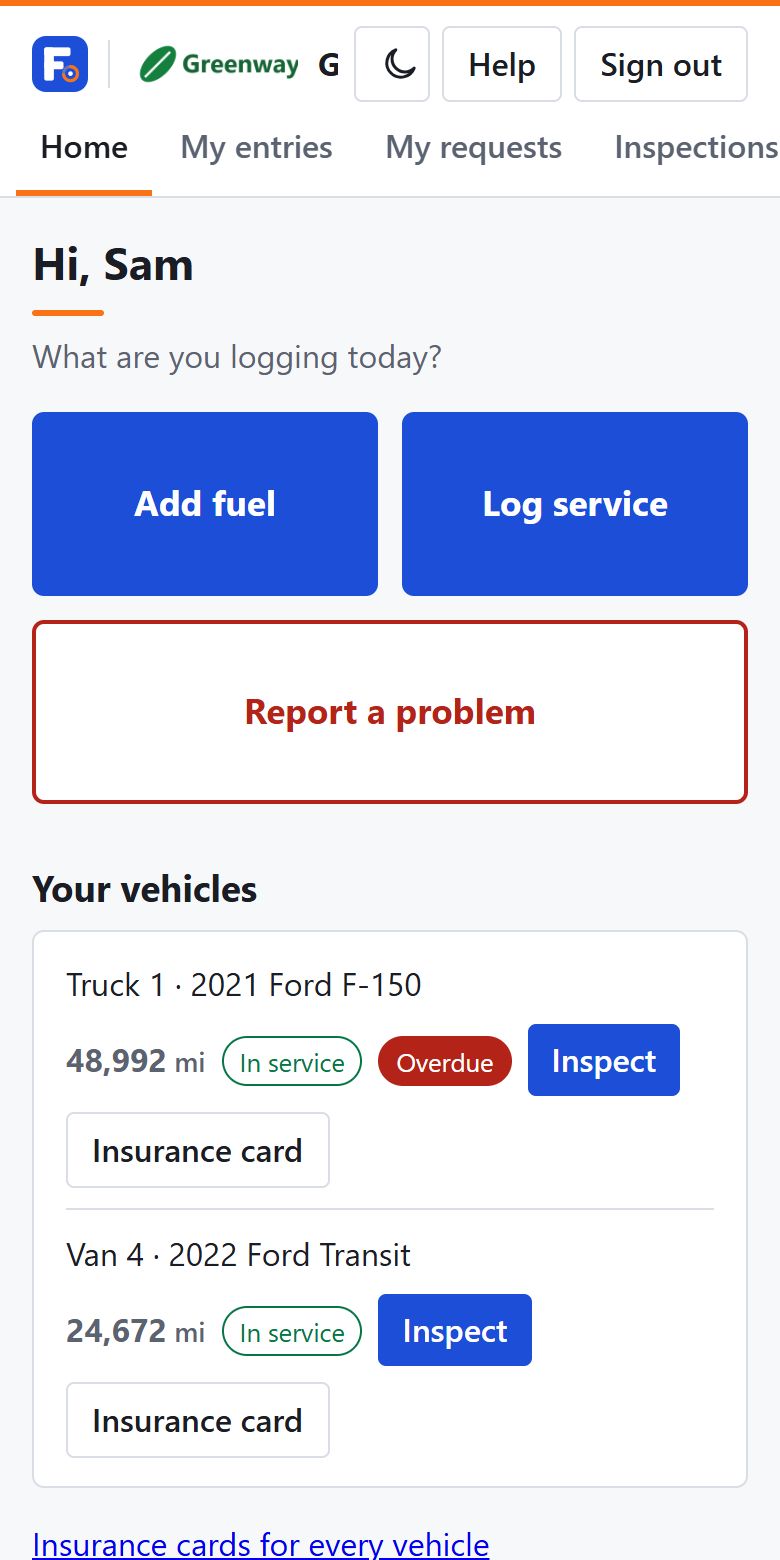
- For driversSign in and log from your phone
- RemindersWhat's due, and when you hear about it
- Problems and requestsReports from drivers, tracked to done
- InspectionsChecklists, defects and sign-off
- Insurance cardsProof of insurance on every phone
- Parts and fluidsOil, filters and part numbers
- Vehicle statusOut of service and retiring
- ReportsCosts, fuel economy and PDFs
- Plans and billingSubscribing, changing and cancelling
- Your dataExport, deletion and privacy
Getting started
Setting up a small fleet takes about 15 minutes:
- Create your company. Sign up with Google, Microsoft or an email link, then name your company and choose its units: miles and gallons, or kilometers and liters. Choose carefully, because the units can't be changed later. You get 14 days free, no card needed.
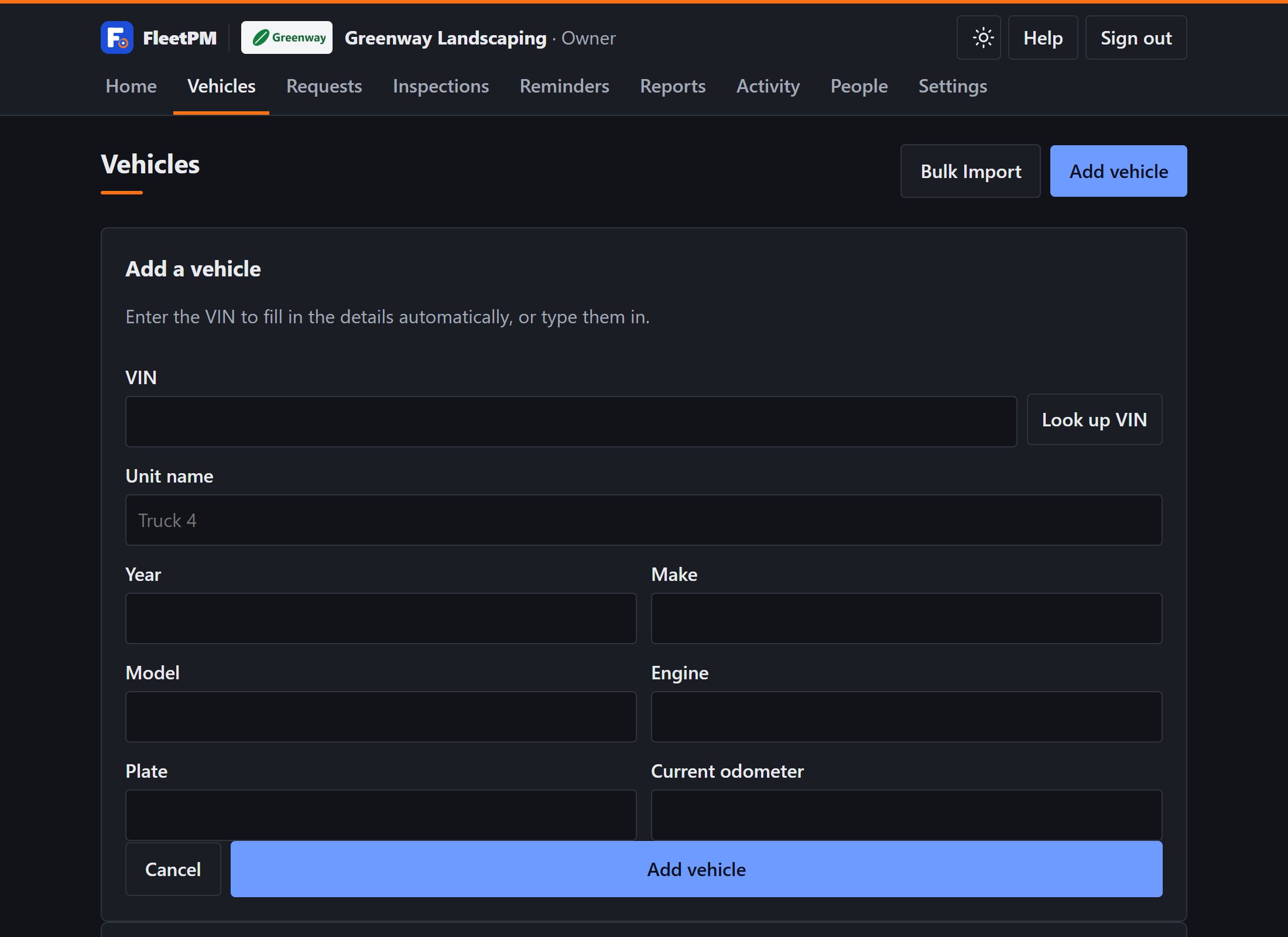
- Add your vehicles. Go to Vehicles and choose Add vehicle. Enter the VIN and FleetPM fills in the year, make, model and engine, and checks for open safety recalls. Give it a unit name (like "Truck 4"), the plate and the current mileage.
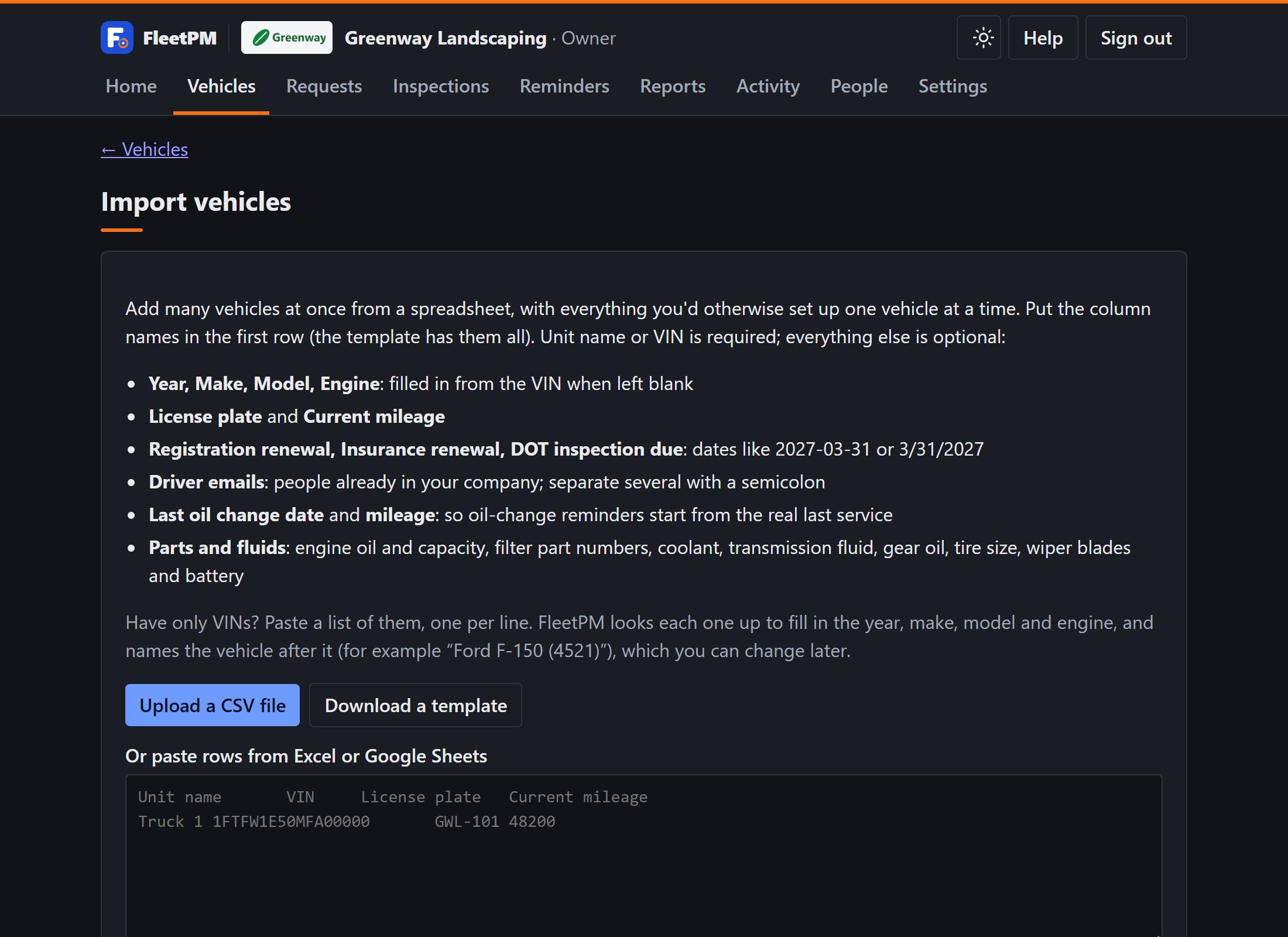
- Got a lot of vehicles? Use Bulk Import on the Vehicles page. Download the template, fill it in (or paste rows from Excel or Google Sheets), and FleetPM checks every row before saving anything. Up to 500 vehicles at a time.
- Invite your drivers (see below) and assign them their vehicles.
- Check the reminders. Every vehicle starts with sensible defaults. Add registration, insurance and DOT inspection dates on each vehicle's page.
Inviting people and roles
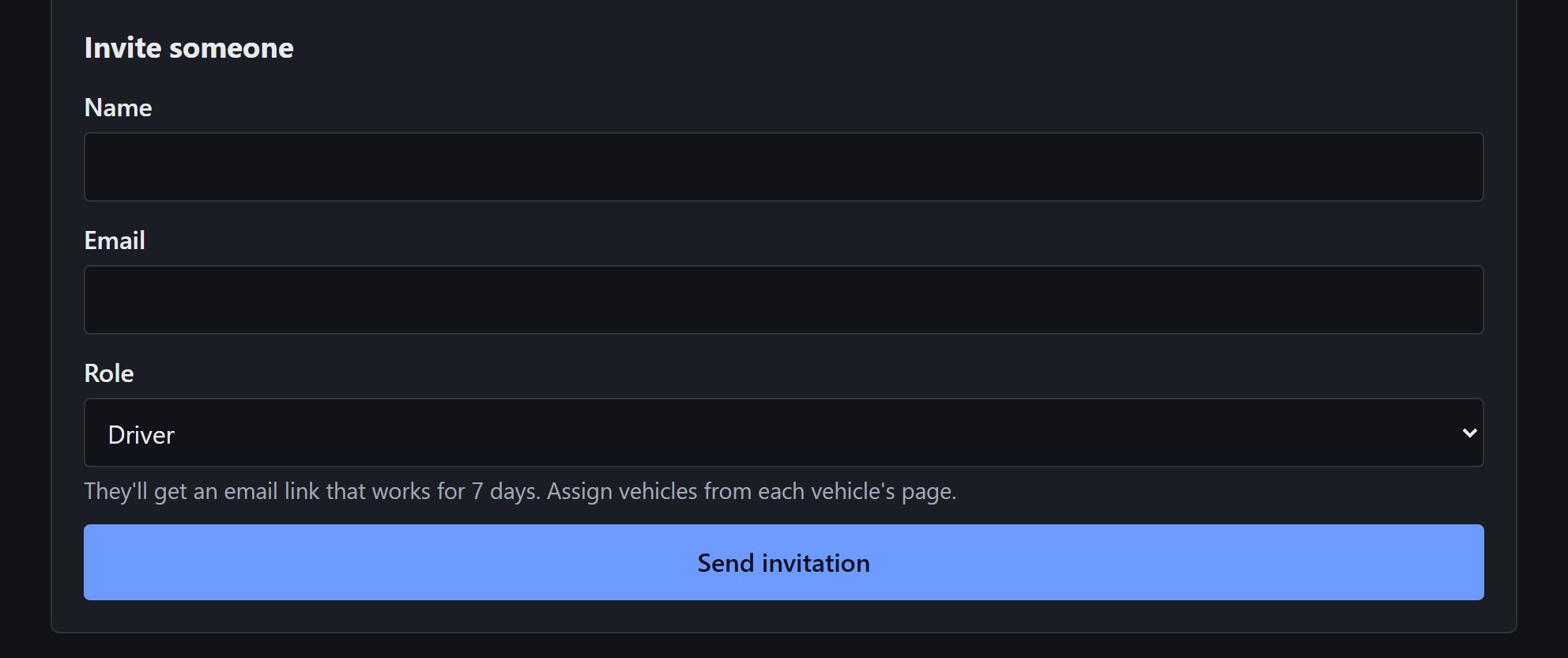
Go to People and fill in Invite someone with their name, email and role. They get an email with a link that works for 7 days. You can resend or cancel invitations that haven't been accepted yet.
Then assign vehicles: open each vehicle's page, tick the drivers under Assigned to and choose Save assignments. Assigned vehicles appear first when those drivers log something.
| Role | What they can do |
|---|---|
| Owner | Everything, including billing, company settings and inviting other owners and managers. |
| Manager | Vehicles, reminders, requests, inspections, reports and costs. Can invite and remove drivers. |
| Driver | Logs fuel, services and problems, does inspections and opens insurance cards. Drivers never see costs or reports. |
A company can have several owners. When someone leaves, choose Remove and anonymize on the People page: they're signed out right away, and their past entries stay with the vehicles under "Former driver" or "Former manager".
Someone who works for two companies can use one sign-in for both and switch between them.
For drivers
Signing in
Open the invitation email and follow the link. After that, sign in at fleetpm.app with Google, Microsoft or by asking for an email link (it works for 15 minutes). On your phone you'll stay signed in for 30 days at a time. Tip: add fleetpm.app to your home screen so it opens like an app.
Logging fuel and service
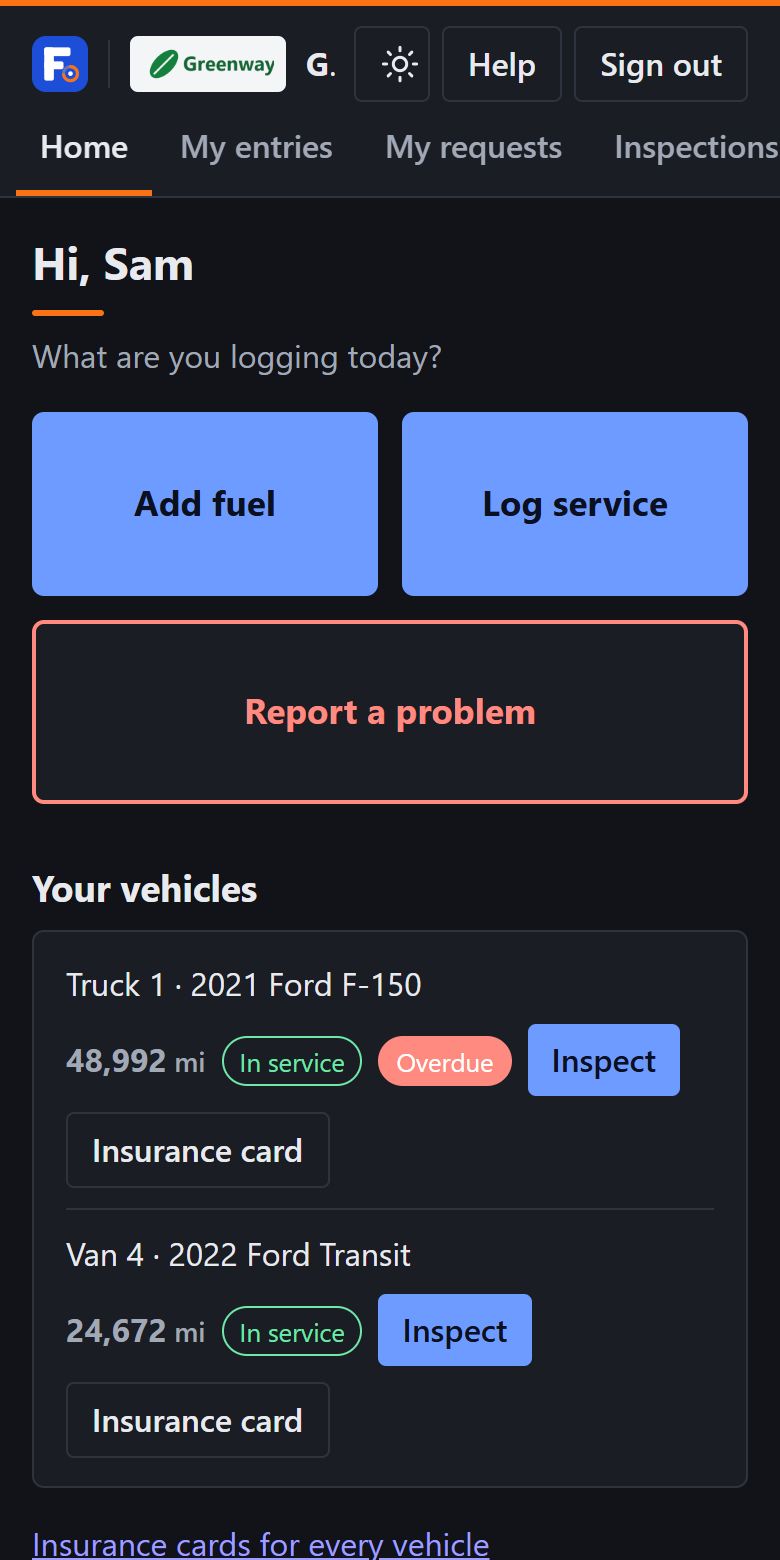
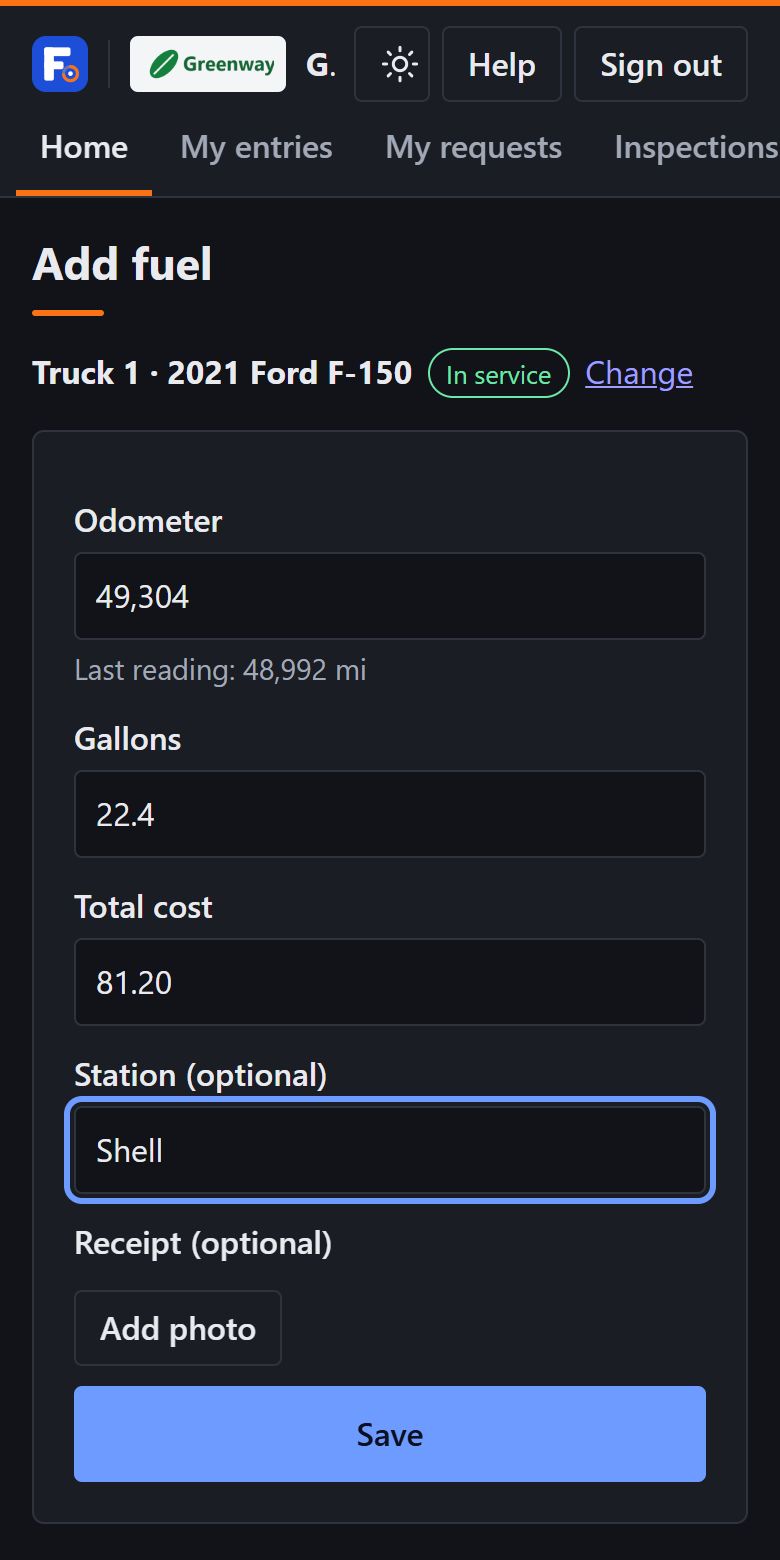
On Home, tap Add fuel, Log service or Report a problem. Your vehicles are listed first; tap Use a different vehicle if you're driving another one. Enter the odometer and the details, add a photo of the receipt if you like, and save. If the odometer looks wrong, FleetPM asks you to double-check it.
Fixing a mistake
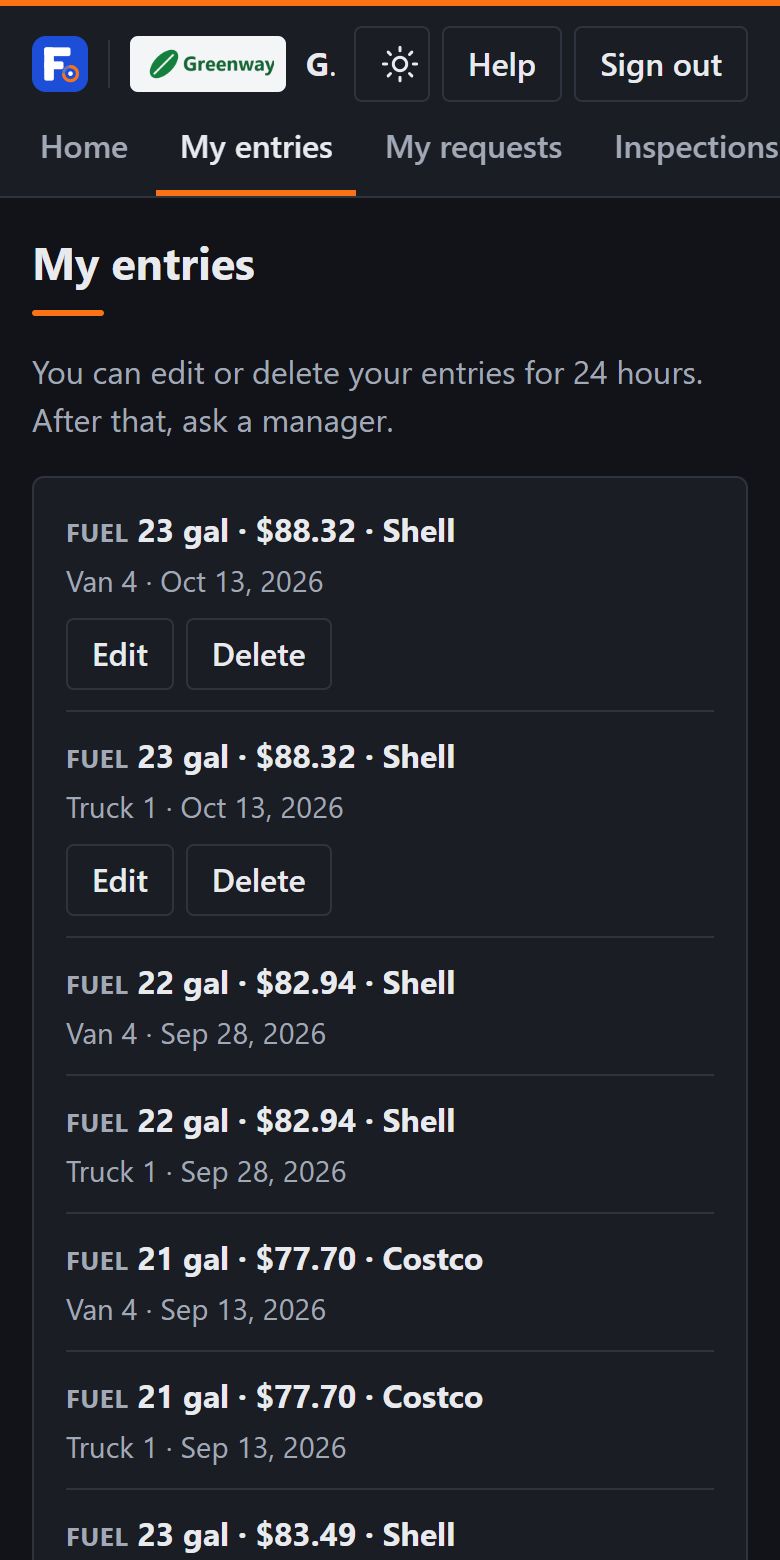
You can edit or delete your own entries for 24 hours from My entries. After that, ask an owner or manager to change it.
Reminders
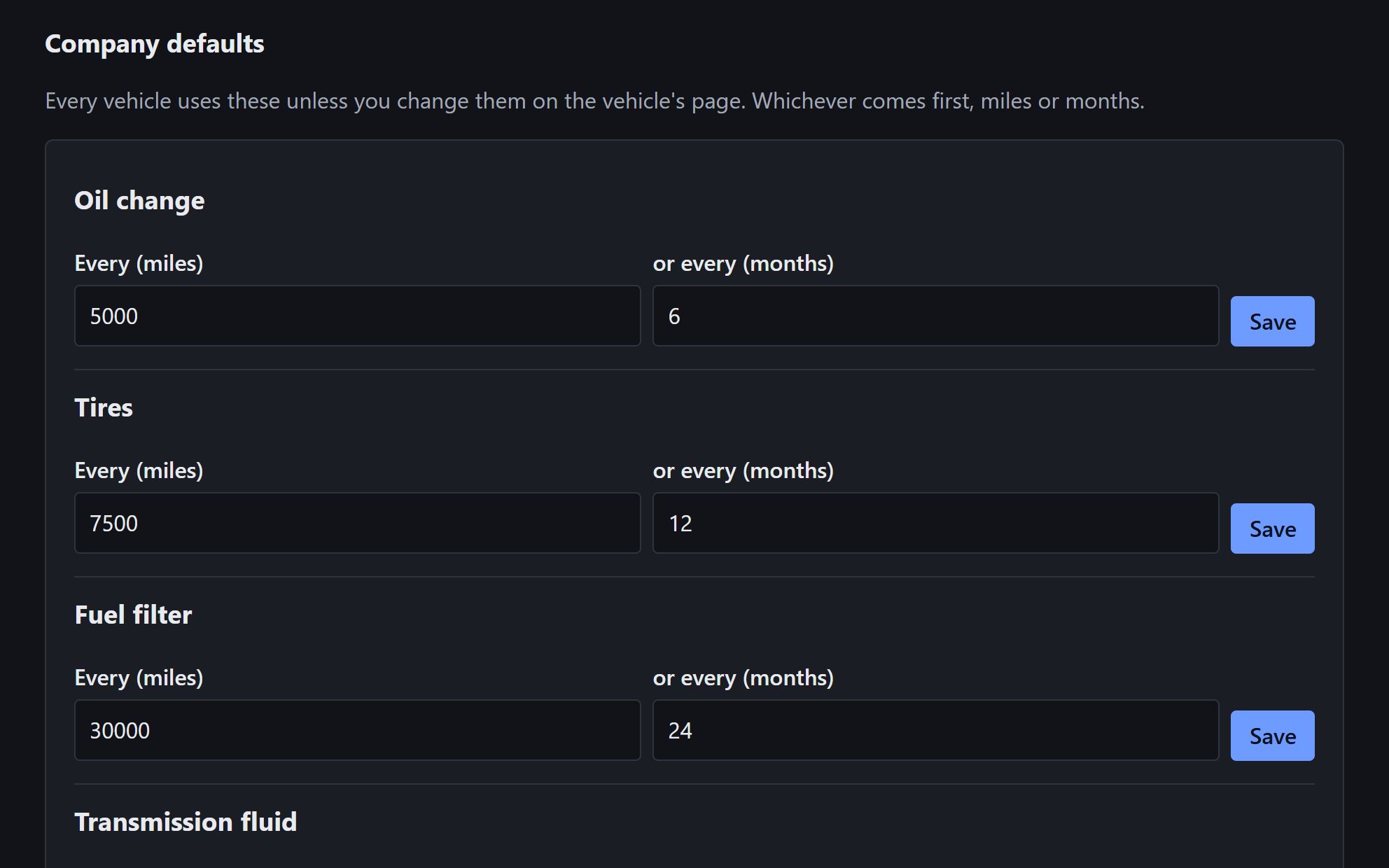
Each vehicle has a Preventive Maintenance schedule by miles, months, or whichever comes first. The defaults are:
| Service | Every |
|---|---|
| Oil change | 5,000 miles (8,000 km) or 6 months |
| Tires | 7,500 miles (12,000 km) or 12 months |
| Fuel filter | 30,000 miles (48,000 km) or 24 months |
| Gear fluid | 50,000 miles (80,000 km) or 48 months |
| Transmission fluid | 60,000 miles (96,000 km) or 48 months |
- Change them for everyone under Reminders → Company defaults, or for one vehicle with Change reminders for this vehicle on its page.
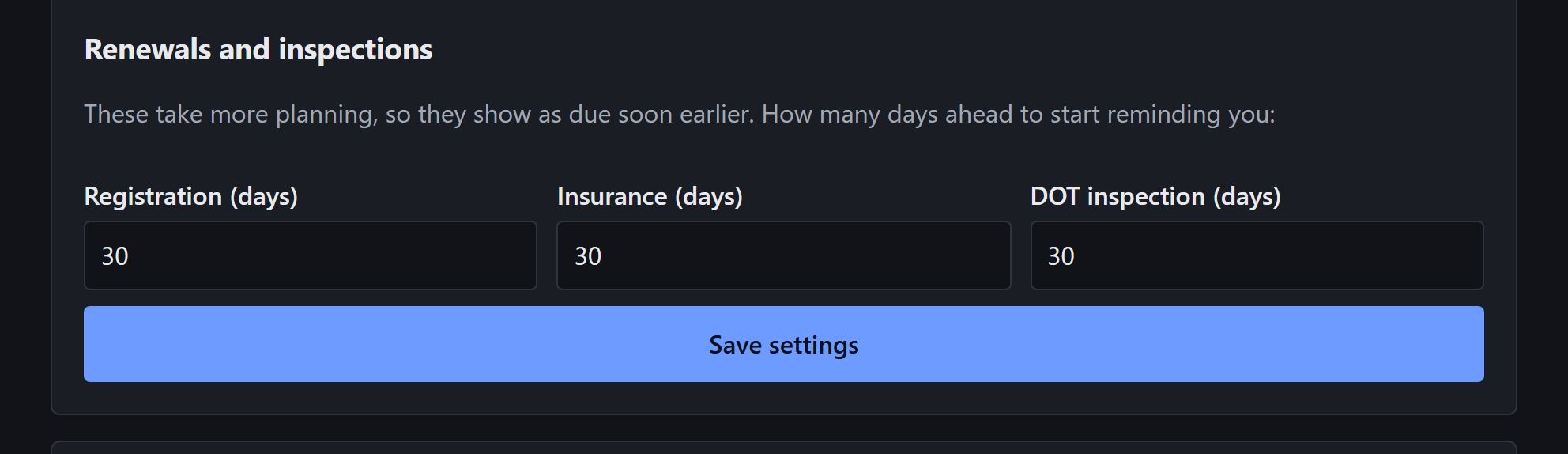
- Due soon means within 500 miles (800 km) or 14 days. Registration, insurance and DOT dates show as due soon 30 days ahead; owners can change how far ahead under Settings → Renewals and inspections.
- Reminders count from the last service you logged. If a vehicle's last oil change was before you joined FleetPM, log it (with its date and mileage) so the next one is worked out correctly.
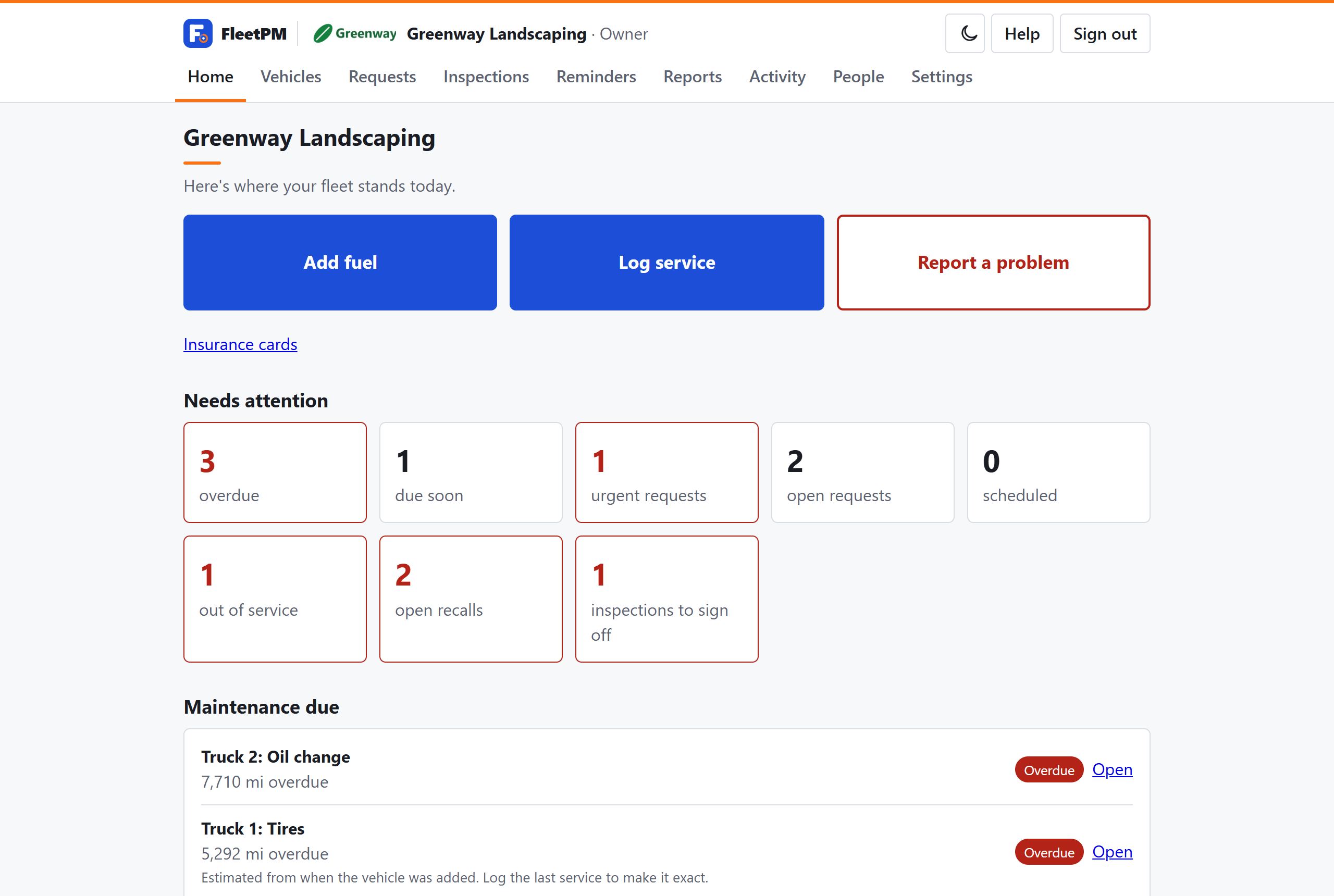
- Recalls from NHTSA are checked every week and show on the vehicle and the Home page.
- Emails: owners and managers get one short summary when something becomes due, goes overdue or a new recall appears. No email when nothing has changed. Drivers only hear about their own vehicles when they're overdue.
Problems and requests
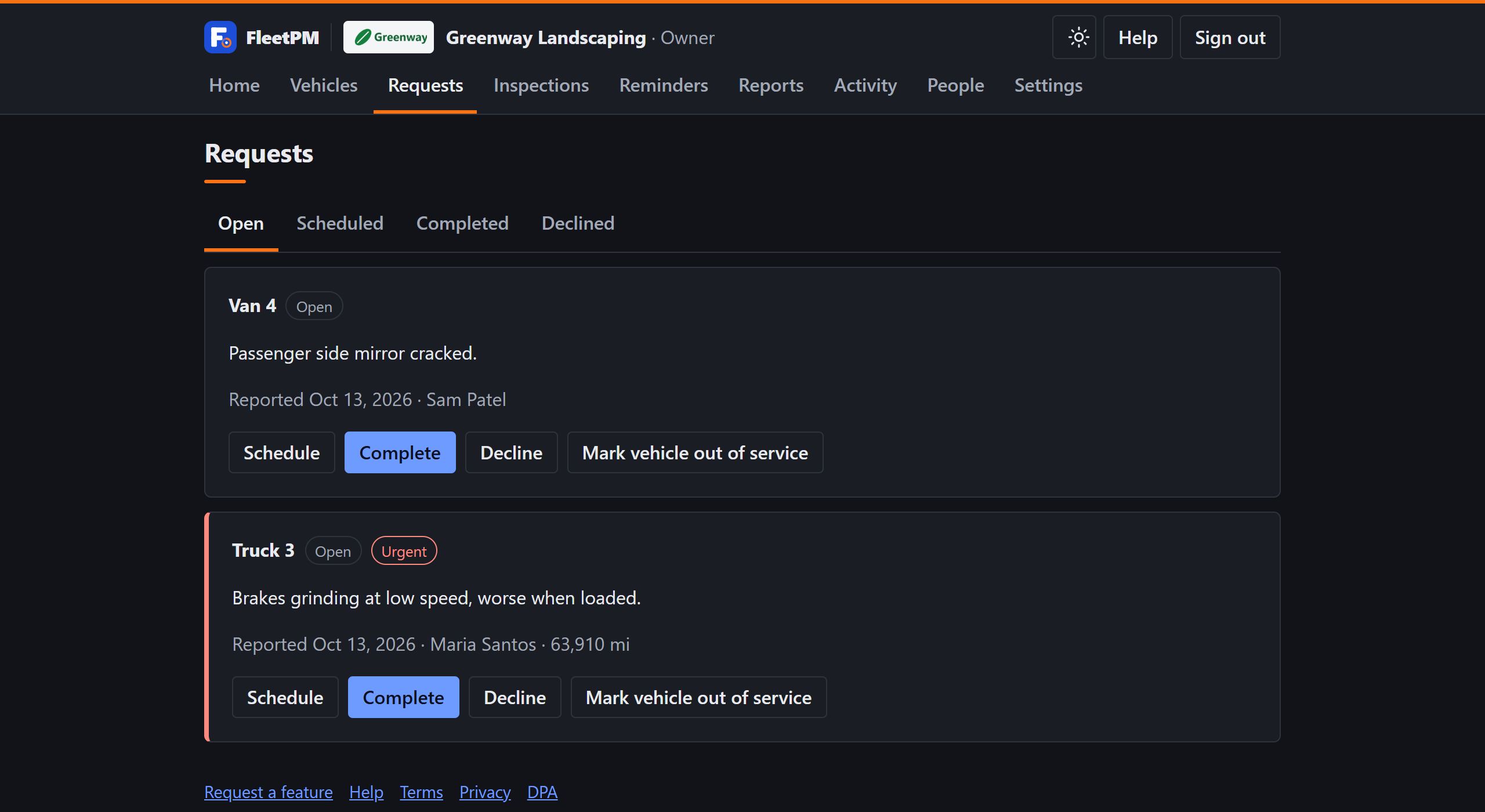
When a driver reports a problem, owners and managers are emailed (right away if it's marked urgent) and it appears under Requests. From there you can schedule it, decline it with a reason, or mark it complete, which can create the service record in the same step. For an urgent problem you'll be offered Mark out of service. The driver sees the status and your note.
Inspections
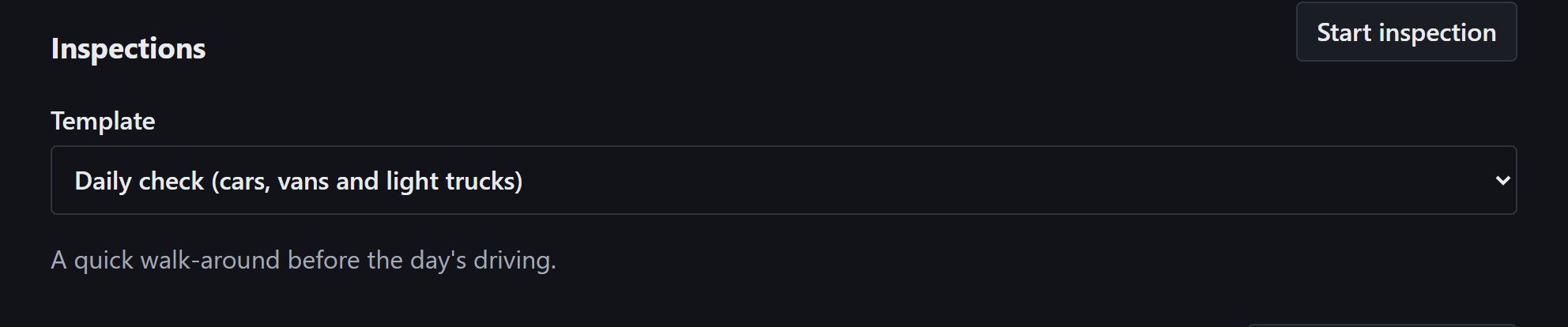
- Choose a checklist. On a vehicle's page, under Inspections, pick a template:
- Daily check is a quick walk-around for cars, vans and light trucks.
- Monthly detailed inspection is a thorough monthly list.
- Drivers inspect. An Inspect button appears on their Home page for that vehicle. They mark each item OK or Defect (describing any defect, with photos if they like) and sign.
- Defects get signed off. A report with defects emails owners and managers and shows on the Home page as "inspections to sign off". Open it and sign it off as repaired, or as not needing repair with a reason.
- The next driver sees what's open. If the last inspection found defects that haven't been signed off yet, the next driver to inspect that vehicle sees a note about them.
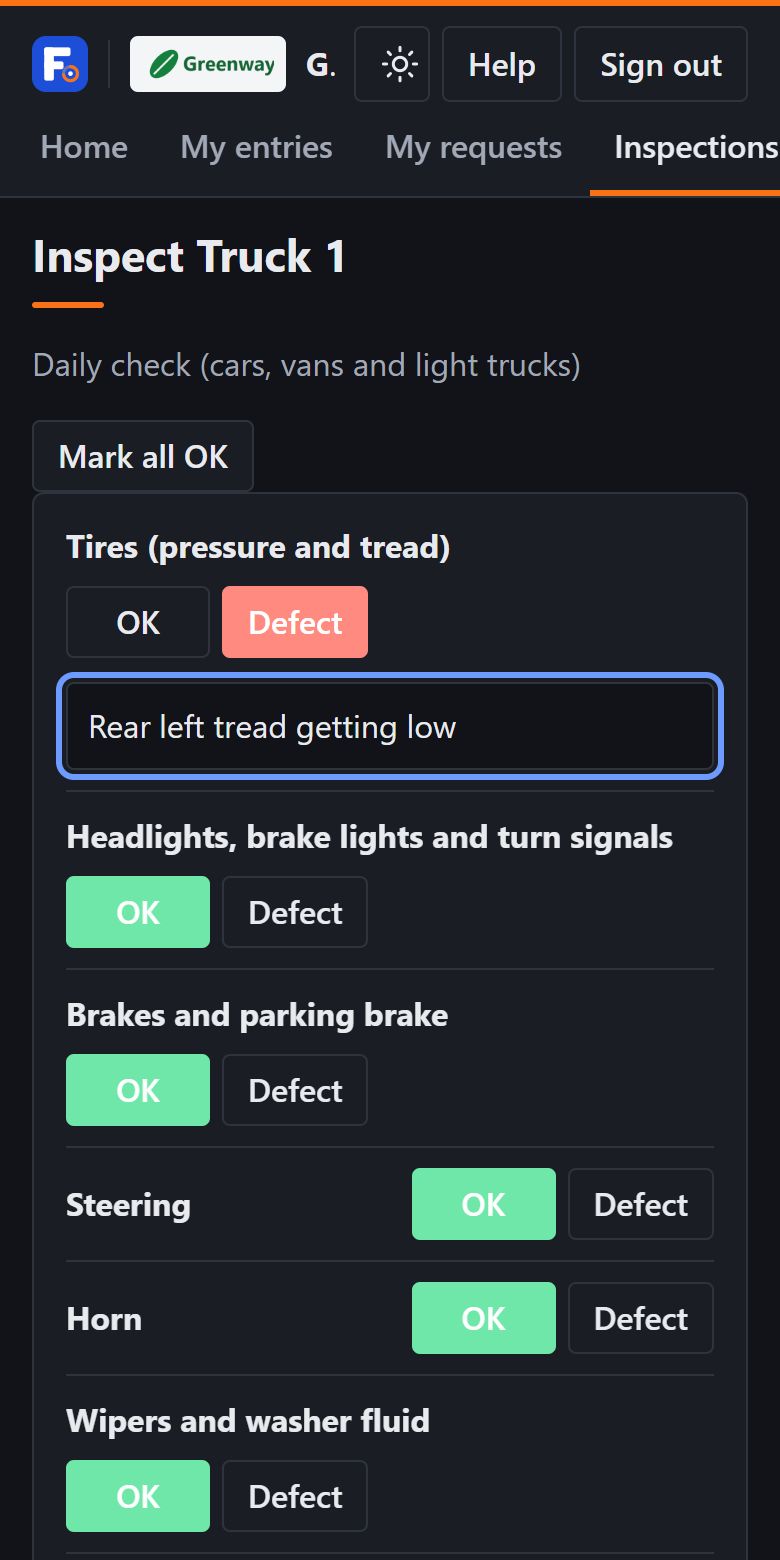
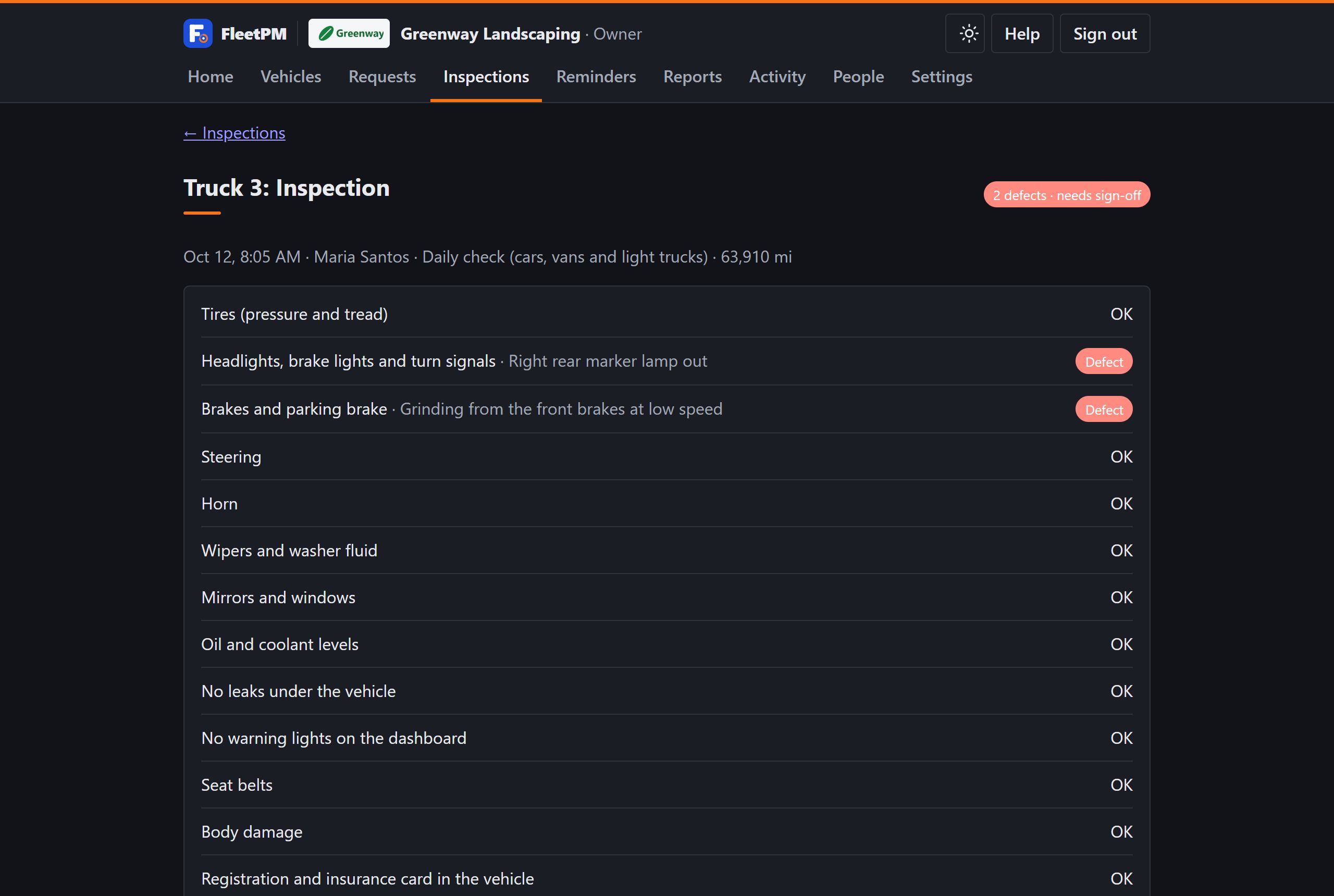
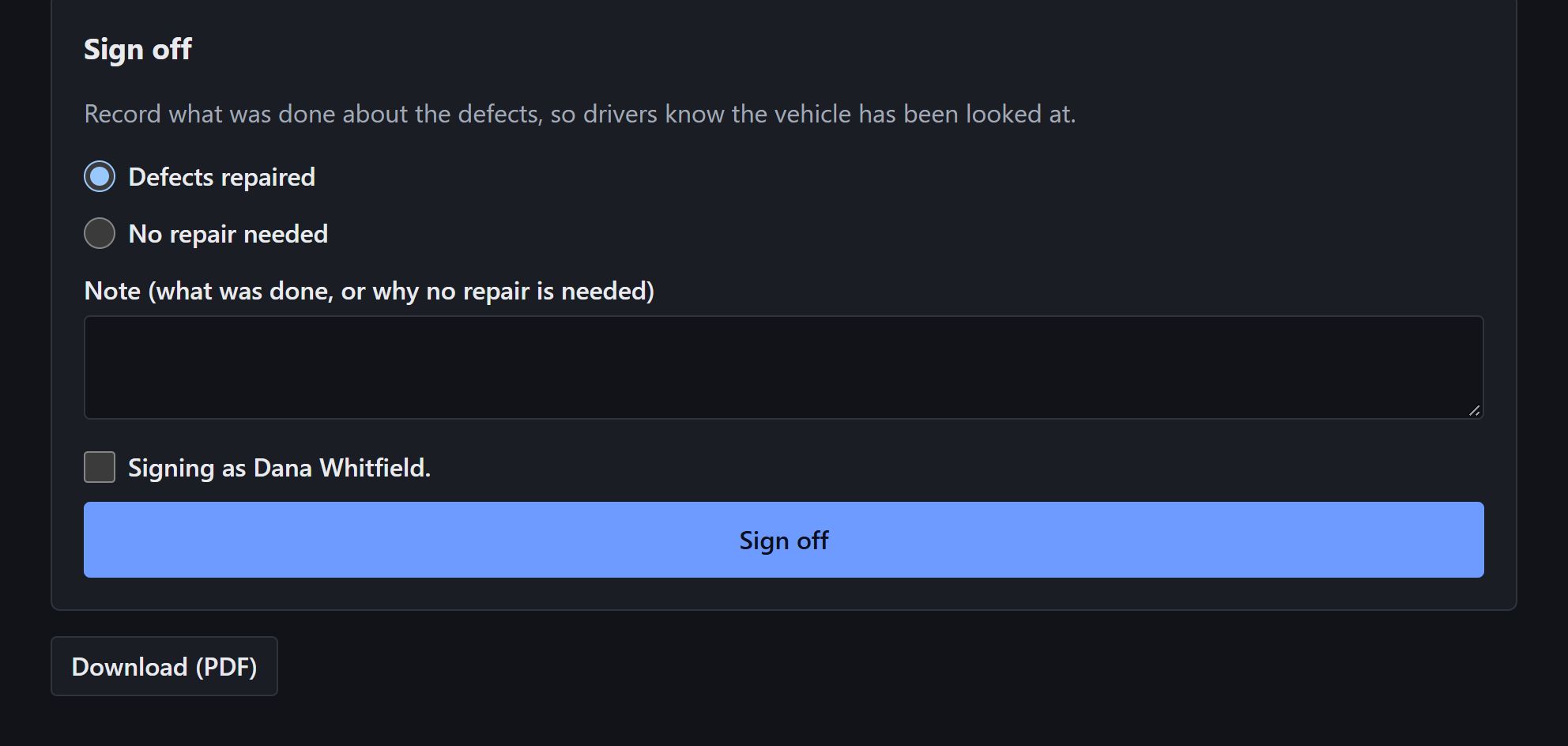
Signed reports can't be changed, and each one has a PDF for the vehicle's file. FleetPM's checklists are general-purpose and aren't designed to meet any government inspection or record-keeping requirement, so if your vehicles are subject to one, keep the records it requires yourself.
Insurance cards
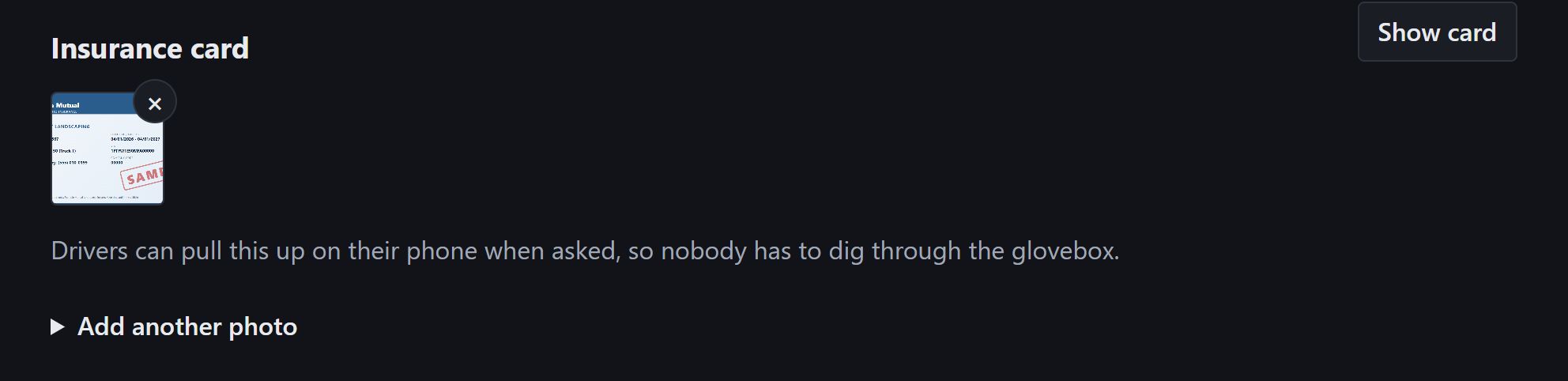
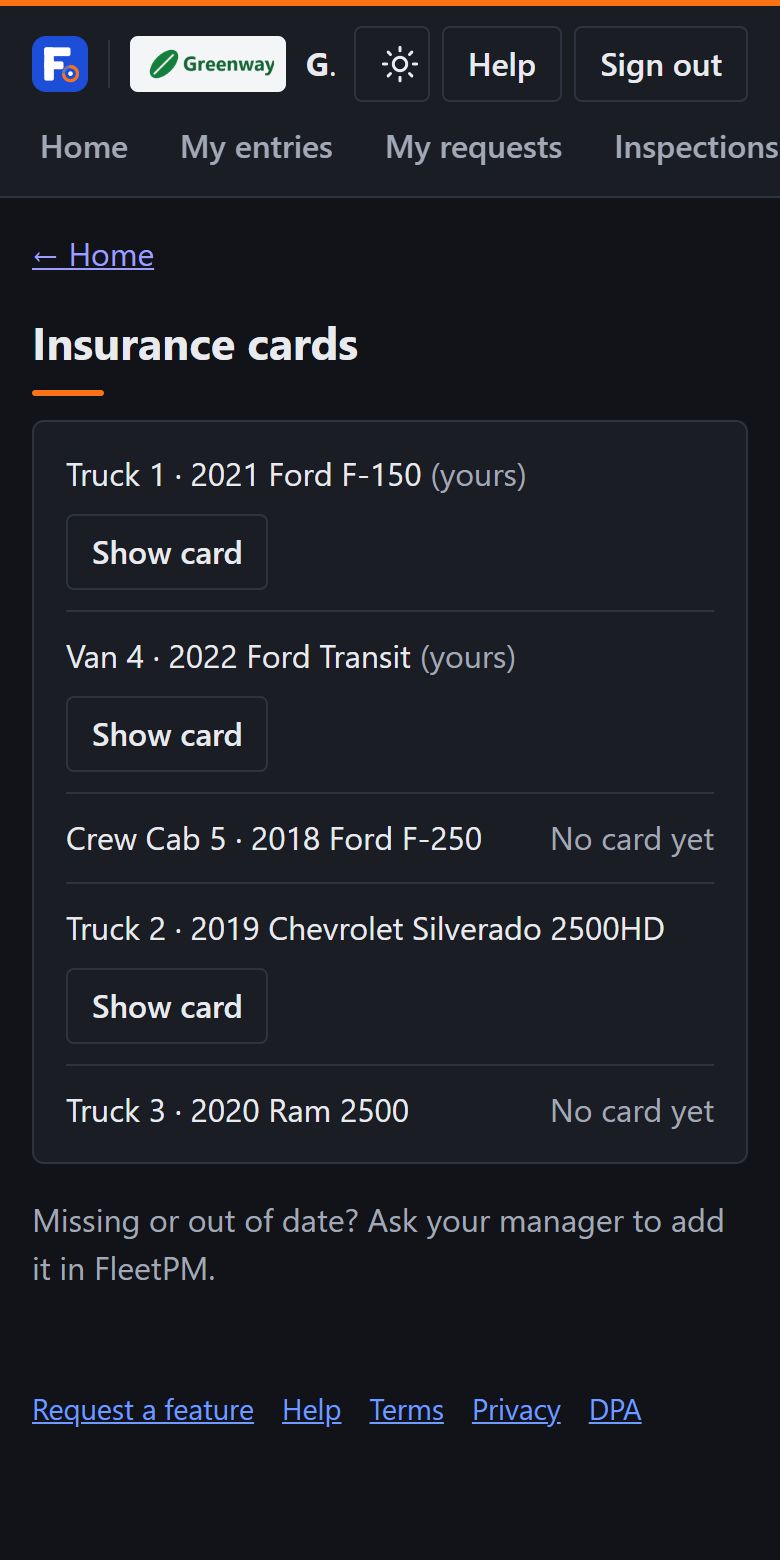
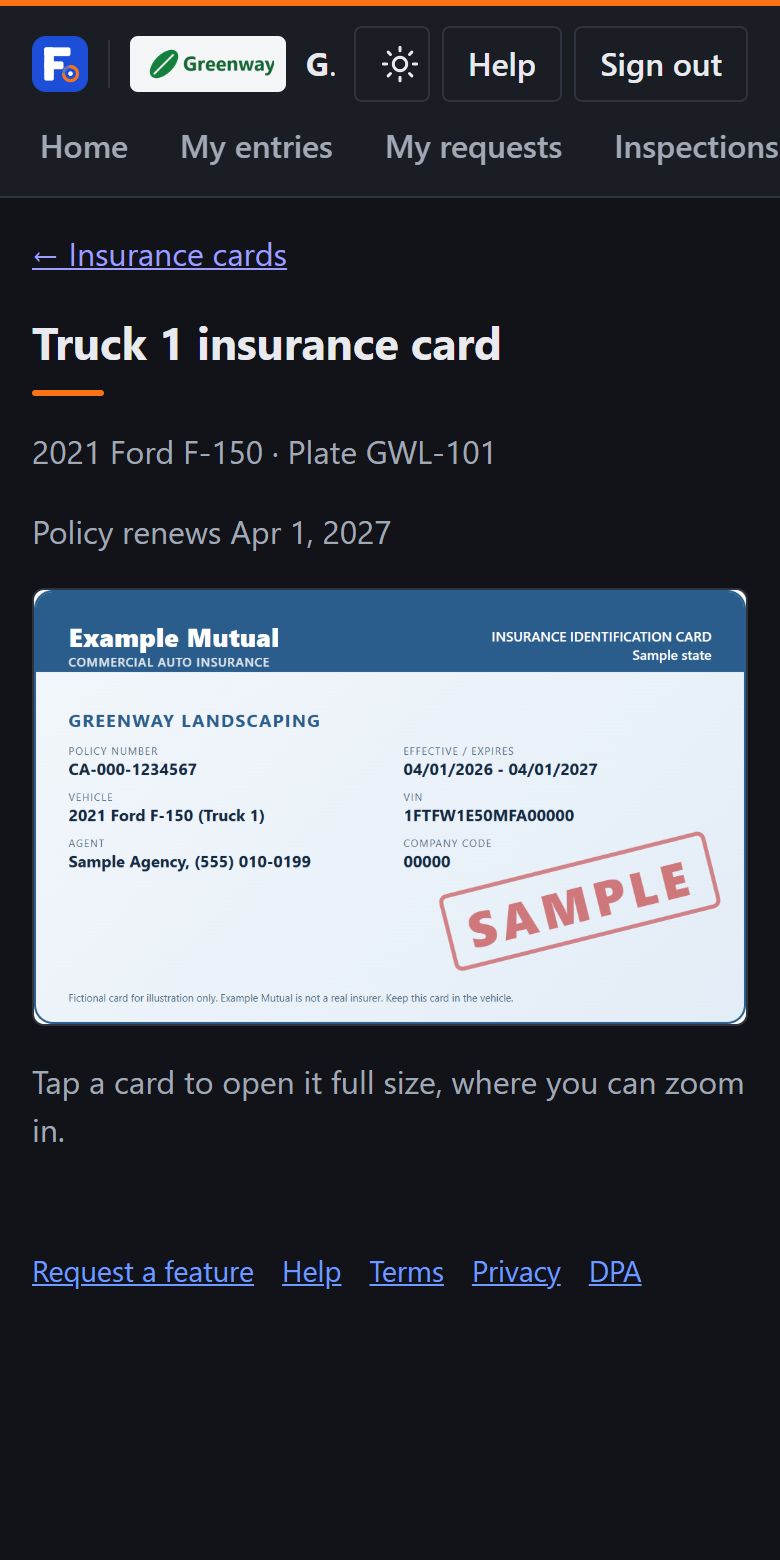
On a vehicle's page, add photos of its insurance card (front, back, up to 4 photos). Anyone in the company can then open it from Insurance cards on the Home page, even for a vehicle they don't usually drive. When the policy renews, replace the photos once and everyone has the new card. Most states accept proof of insurance shown on a phone, but rules vary, so keep the paper card in the vehicle too.
Parts and fluids
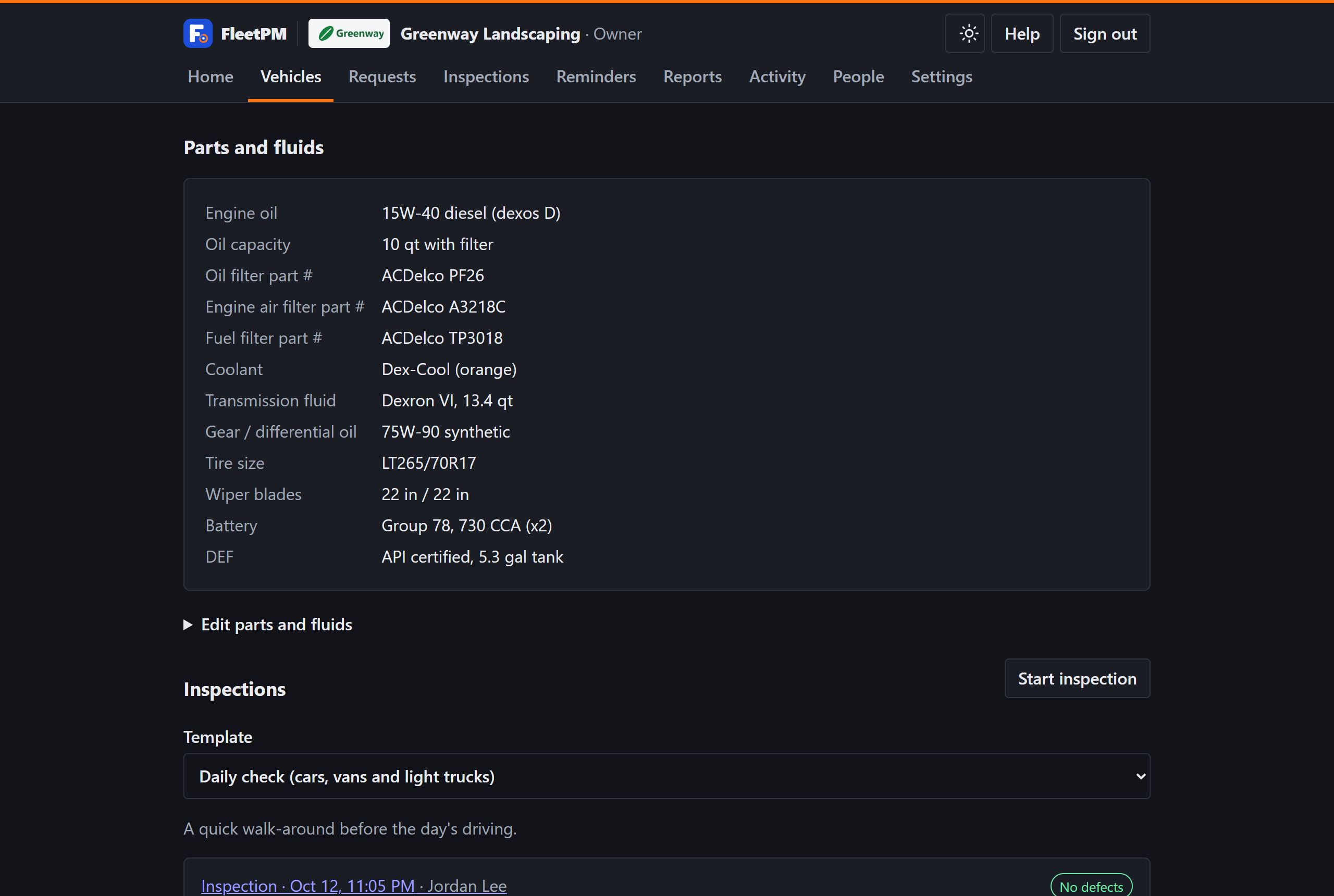
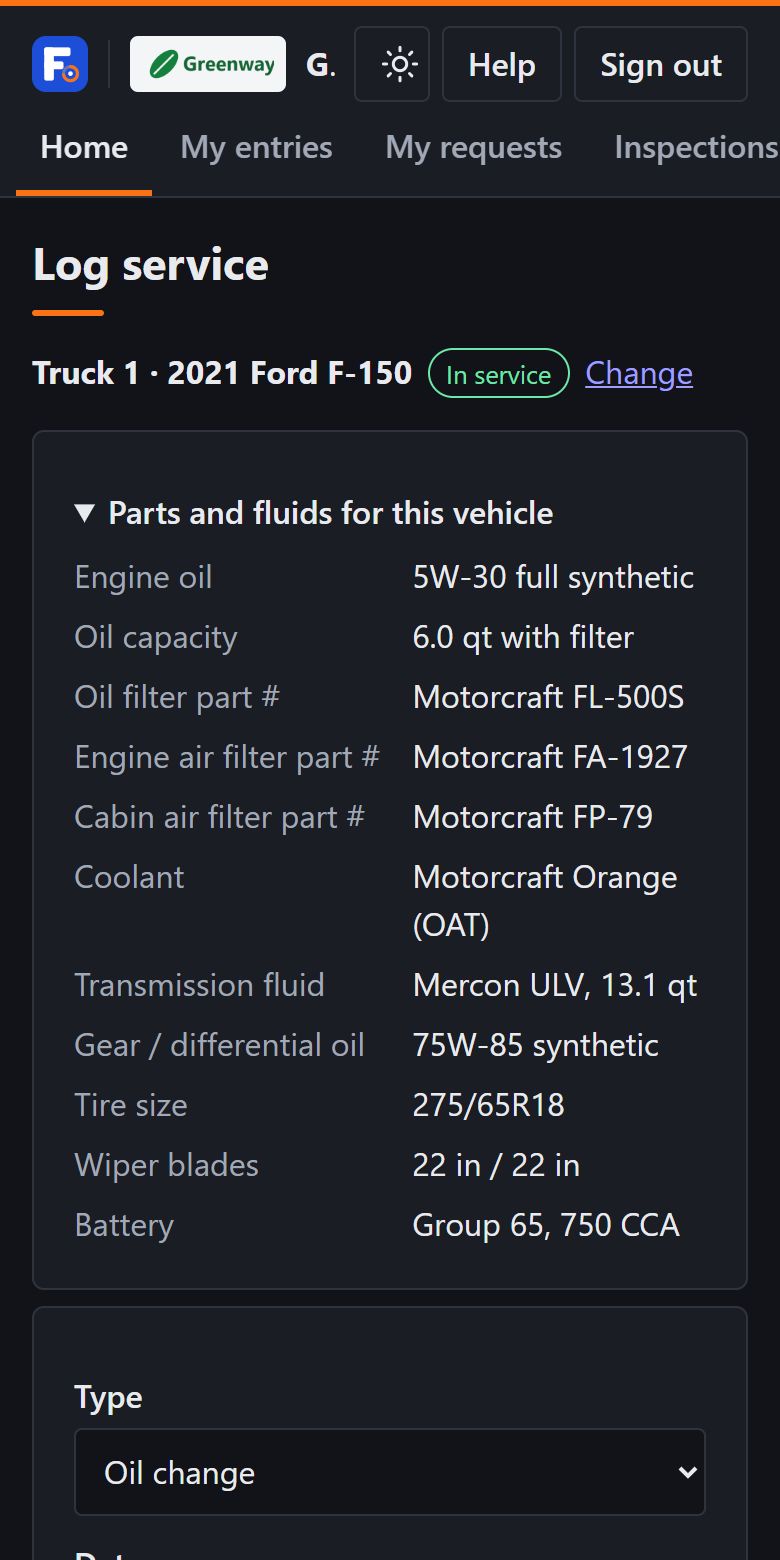
Each vehicle has a Parts and fluids sheet: oil type and capacity, filter part numbers, coolant, transmission fluid, tire size, wipers, battery, and up to 10 items of your own. Owners and managers fill it in on the vehicle's page with Add parts and fluids (or copy it from an identical vehicle, or include it in a Bulk Import). Everyone can see it, and it shows on the form when someone logs a service.
Vehicle status and retiring
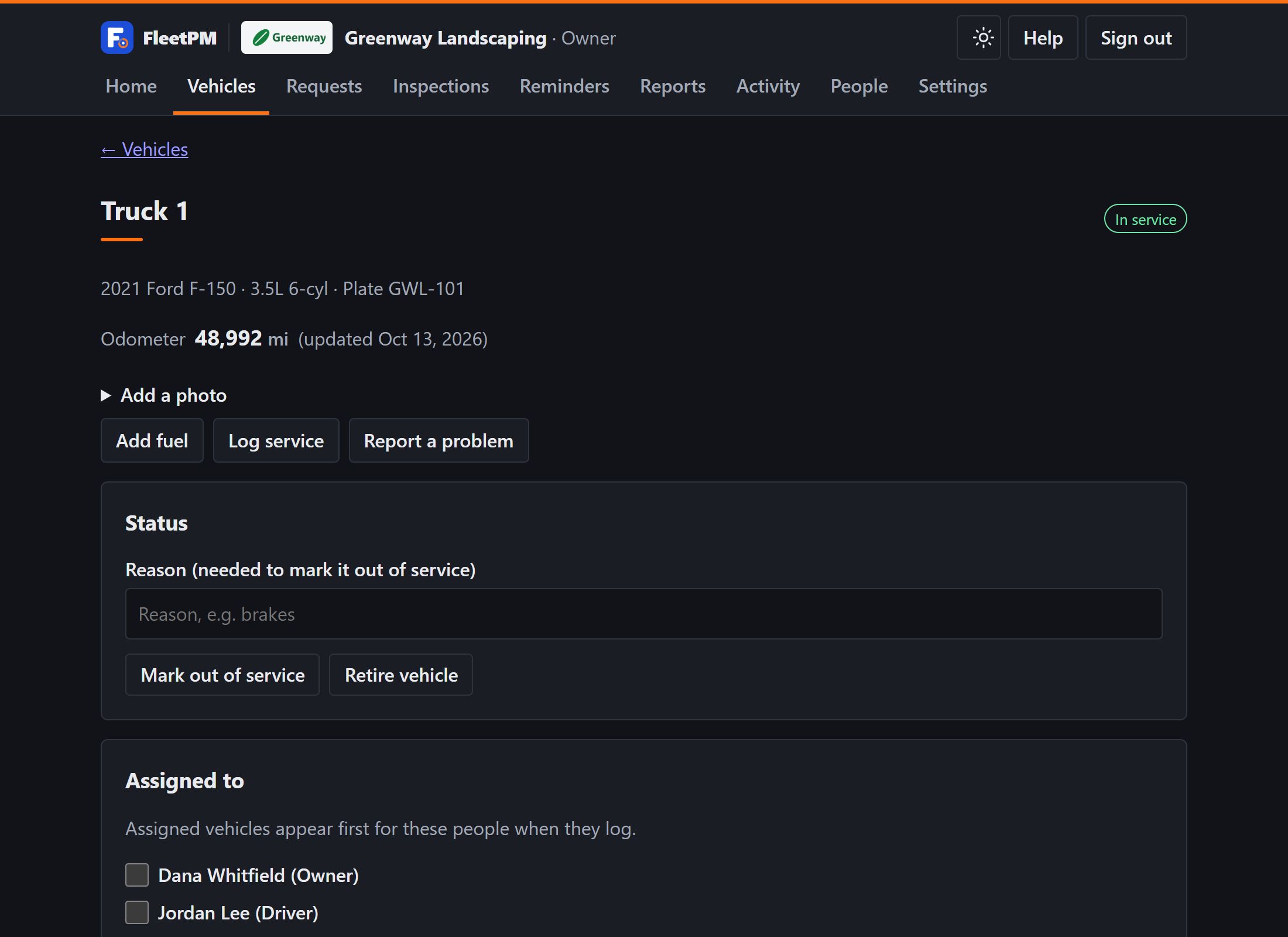
- Out of service: type a reason under Status on the vehicle's page and choose Mark out of service when it's broken down or in the shop. Drivers see it greyed out. Choose Back in service when it's ready.
- Retire a vehicle you've sold or scrapped with Retire vehicle. Its history is kept, and it no longer counts toward your plan. Find it again with Show retired vehicles.
Reports
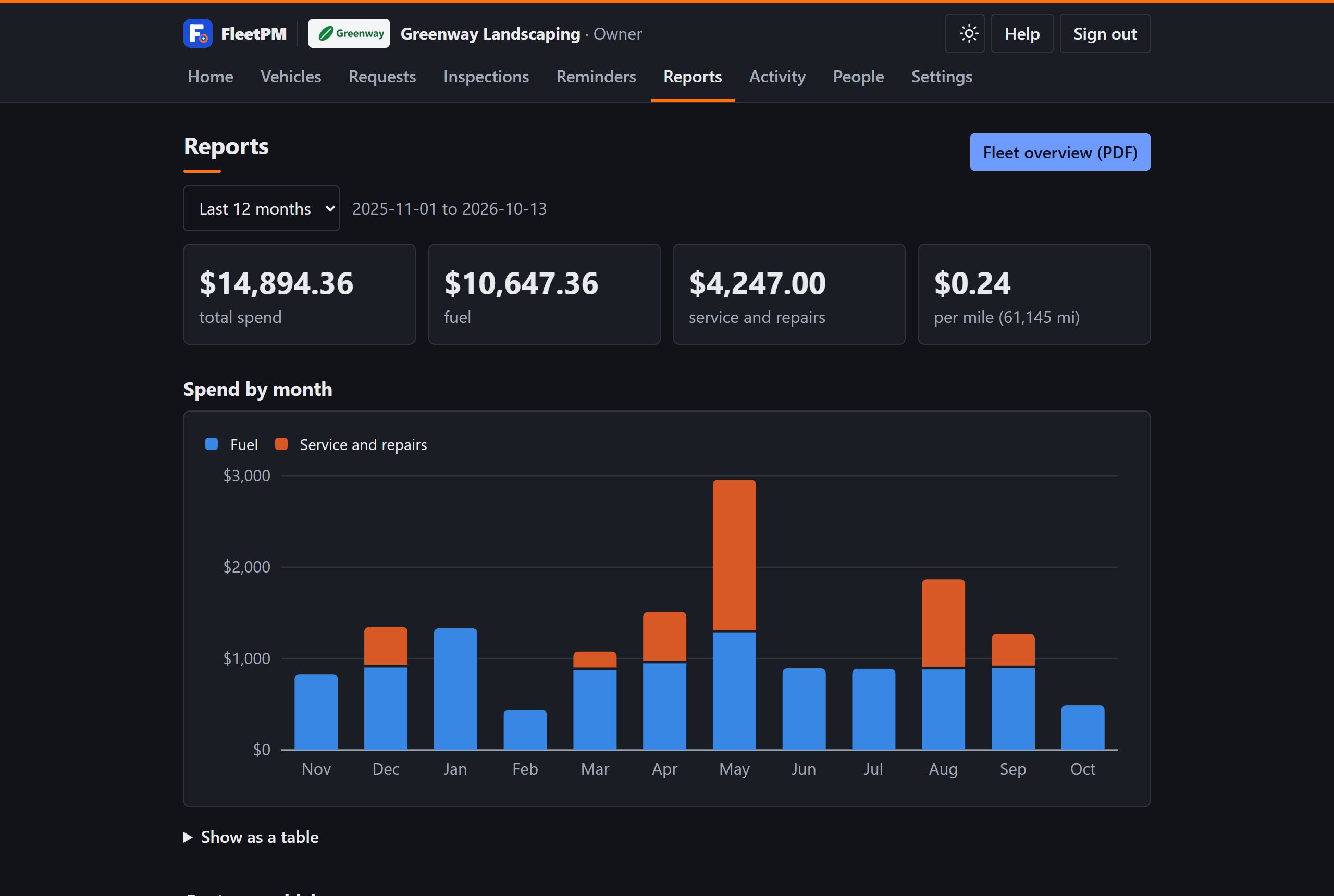
Owners and managers can open Reports for cost per vehicle, cost per mile, fuel economy and spending by month, for the last 12 months or any period up to 5 years. Download the numbers as CSV, a fleet overview PDF, or a PDF for any vehicle (also on each vehicle's page). PDFs carry your company logo, which an owner can add under Settings → Company logo.
Plans, billing and cancelling
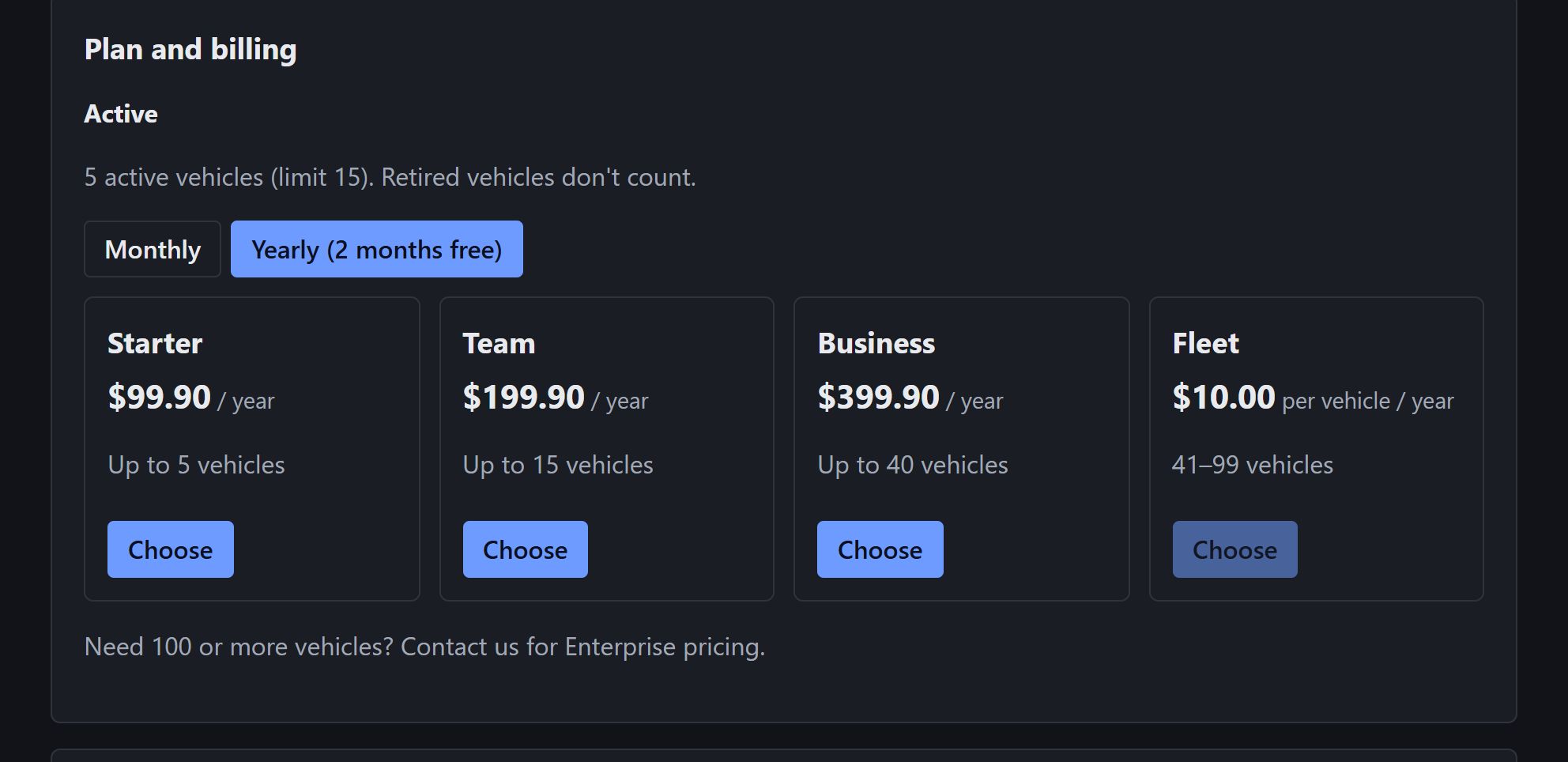
- Plans go by the number of active vehicles: Starter (1 to 5), Team (6 to 15), Business (16 to 40) and Fleet ($1 per vehicle a month, 41 to 99). For 100 or more vehicles, email support@fleetpm.app for Enterprise pricing. Pay monthly, or yearly and get 2 months free. See pricing.
- Subscribe or change plan under Settings → Plan and billing (owners only). To move to a smaller plan, retire vehicles until you fit it.
- Change your card, get invoices or cancel with Manage billing (card, invoices, cancel).
- When you cancel, everything keeps working until the end of the period you've paid for, and a banner shows the date. You can renew any time before then.
- After billing ends (or a trial ends without a card), the account becomes read-only: you can still sign in, look things up and export. Your data is kept for 6 months, and subscribing again brings everything back. After 6 months it's permanently deleted. Owners are emailed before that happens.
- Refunds: fees aren't refundable except where the law requires; see the Terms.
Your data
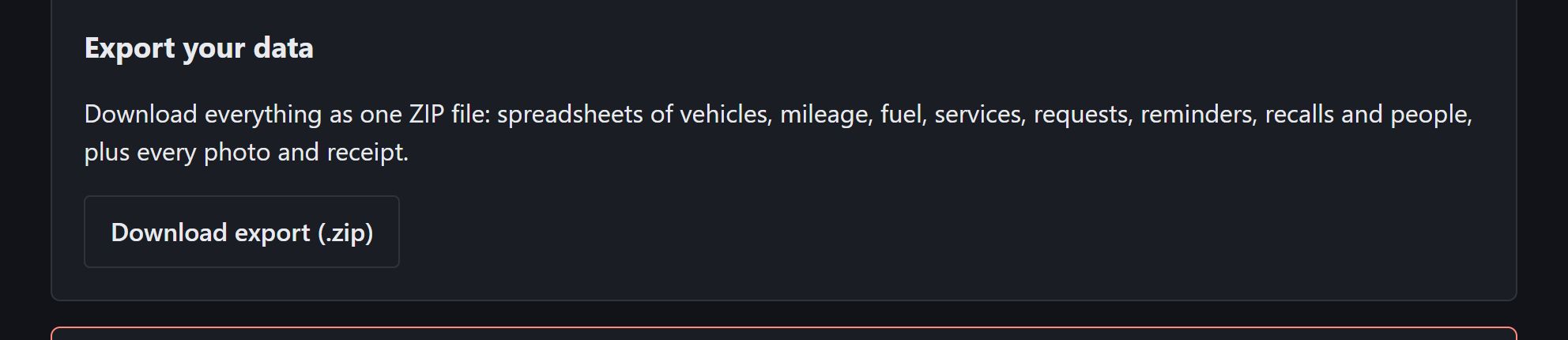
- Export everything at any time, even while read-only. Owners go to Settings → Export your data for a ZIP of spreadsheets and every photo.
- Delete your company: an owner can request it under Settings → Delete company account. It's deleted within 30 days, and you can cancel the request until then.
- No tracking: FleetPM never collects GPS or location data. See the Privacy Policy.
Still stuck?
Email support@fleetpm.app and we'll help. Once you're signed in, you can also send ideas with Request a feature at the bottom of the app.